
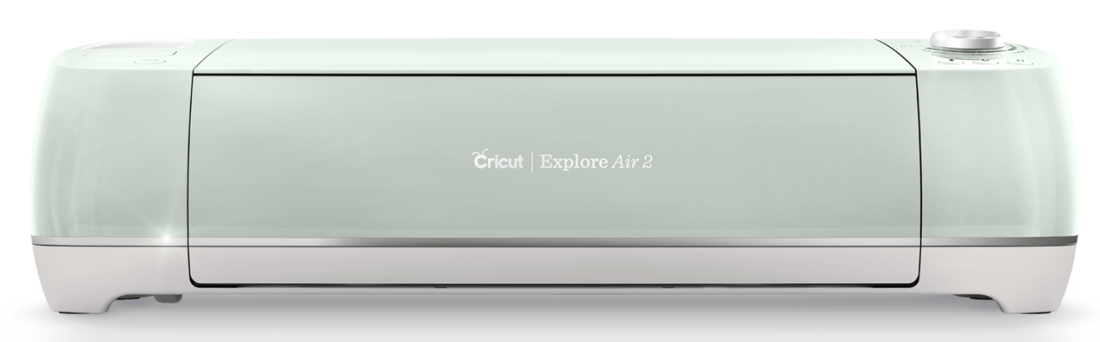
Cricut First Time User Tips
Mastering the Art of Crafting: Essential Tips for First-Time Cricut Machine Users
The world of crafting has been revolutionized by the Cricut machine, a versatile tool that empowers individuals to bring their creative visions to life with precision and flair. If you’re a first-time user of this incredible device, the possibilities might seem endless and a bit overwhelming. Fear not! We’re here to guide you through your exciting journey with some essential advice and tips to help you make the most of your Cricut experience.
1. Familiarize Yourself with Your Machine: Before you dive into your first project, take some time to acquaint yourself with your Cricut machine. Read the user manual thoroughly, explore the different buttons, and understand how the machine operates. This foundational knowledge will set you up for success as you embark on your crafting endeavors.
2. Start Simple: As tempting as it may be to tackle complex projects right away, it’s advisable to start with simple designs. Begin by cutting basic shapes or practicing on scrap materials. Gradually work your way up to more intricate projects as you become comfortable with the machine’s capabilities.
3. Explore Cricut Design Space: Cricut Design Space is the software that accompanies your Cricut machine. It’s a treasure trove of design possibilities. Take the time to explore its features, tools, and design options. You can create your designs or use the pre-designed templates available.
4. Choose the Right Materials: Cricut machines can cut a wide range of materials, from paper and vinyl to fabric and wood. When starting out, focus on materials that are beginner-friendly, like cardstock and adhesive vinyl. As you gain confidence, you can experiment with more diverse materials. Always refer to the machine’s recommended settings for each material.
5. Calibration and Test Cuts: Calibrating your machine ensures accurate cuts. Many Cricut machines have a calibration option, so be sure to follow the instructions in the manual. Additionally, always perform a test cut on a small piece of your chosen material before committing to a full project. This will help you fine-tune the settings and avoid wasting materials.
6. Keep Your Blades Sharp: Blades are the heart of your Cricut machine. Regularly check the sharpness of your blades, and replace them as needed. Dull blades can lead to uneven cuts and frustration. Having spare blades on hand is a smart idea, so you’re always prepared for uninterrupted crafting.
7. Practice Proper Mat Placement: The cutting mat is crucial for precise cuts. Ensure that your material is placed firmly and evenly on the mat to prevent shifting during cutting. Follow the guidelines for loading the mat into the machine correctly, as improper placement can affect your project’s outcome.
8. Weeding Techniques: Weeding refers to the process of removing excess material from your cut design, leaving behind the desired image. Invest in a weeding tool, which will make this process much smoother. Be patient and take your time to avoid damaging intricate designs.
9. Utilize Online Resources: The Cricut community is vast and generous. There are numerous online tutorials, forums, and social media groups dedicated to Cricut crafting. These resources can provide you with inspiration, troubleshooting tips, and creative techniques to enhance your skills.
10. Embrace Patience and Practice: Mastering any new skill takes time and patience. Don’t be discouraged by initial setbacks or imperfections. Celebrate your successes and learn from your challenges. With each project, you’ll improve your proficiency and gain confidence in wielding your Cricut machine’s capabilities.
As a first-time Cricut user, your journey is just beginning. Armed with these valuable tips and a healthy dose of creativity, you’re well on your way to creating stunning, personalized crafts that will undoubtedly leave a lasting impression. Enjoy the process, experiment fearlessly, and let your imagination run wild!
Categories: Articles
 MASCrapping