
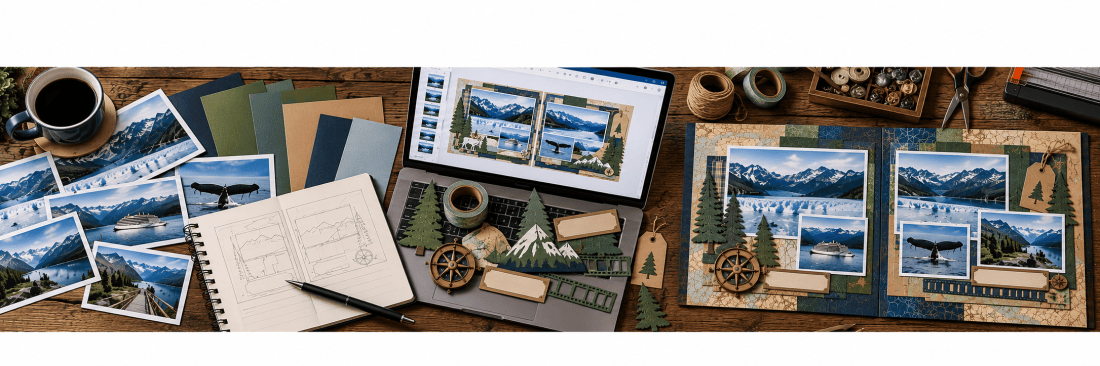
What Can ChatGPT Actually Do for Scrapbookers?
AI in the Scrapbook Room: Article 2
In my previous article, ChatGPT and Scrapbooking: An Unexpected Creative Partnership, I shared how I began experimenting with artificial intelligence to help with my scrapbook designs while on an Alaskan cruise. What started as a little curiosity has turned into something I have been spending quite a bit of time exploring, and I continue to be surprised by the possibilities.
One of the things I have discovered is that ChatGPT can help with far more than simply generating pictures or answering questions. It can become a creative partner throughout the scrapbooking process, from the moment you start thinking about a new layout until you put the finishing touches on a completed page.
Now, before we go any further, I want to emphasize something. I am not suggesting that ChatGPT should do our scrapbooking for us. After all, one of the reasons we enjoy this hobby is the opportunity to be creative, make decisions, and produce something that reflects our own personalities. What I have found is that AI can complement that creativity by helping us explore ideas, solve problems, and occasionally think about things in ways we might not have considered otherwise.
In this article, I want to introduce ten ways that ChatGPT can be used in scrapbooking. Think of this as a preview of the possibilities rather than a step-by-step tutorial. Over the coming months, I plan to explore each of these applications in greater detail through individual blog posts, sharing actual examples from my own scrapbooking projects. For many of them, I’ll also include video demonstrations so you can see exactly how I use ChatGPT and how the results become part of my scrapbook pages.
1. Finding Inspiration for Scrapbook Layouts
Have you ever sat down with a collection of photographs and had absolutely no idea how you wanted to arrange them? I certainly have. Sometimes I know exactly what I want a page to look like, but other times I spend quite a while moving photographs around before I find an arrangement that works.
ChatGPT can help brainstorm different layout possibilities. You can describe the photographs you have, their sizes, and whether you are working on a single page or a double-page spread. You can also explain the theme or mood you are trying to create.
For example, you might tell ChatGPT that you have six photographs from a family vacation, including two horizontal photographs and four vertical ones, and that you want to arrange them on a 12-by-12-inch scrapbook page. It can suggest possible arrangements and help you think through how much room you might have for titles, journaling, and embellishments.
You can even ask it to create a visual concept of a layout. Of course, the resulting design may not be exactly what you want, but it can give you a starting point for developing your own ideas.
2. Choosing Colors and Coordinating Papers
One of my favorite parts of scrapbooking is developing a color scheme for a page. I often base my colors on something in the photographs, a logo, or a piece of memorabilia that I want to incorporate into the layout.
ChatGPT can help with this process by examining photographs and suggesting coordinating colors. You can upload a photograph and ask it to identify the dominant colors, suggest complementary shades, or recommend a color palette that would work well with the image.
For example, if you are scrapbooking photographs from a trip to the mountains, you might want to incorporate the blues of the sky, the greens of the trees, and the grays of the mountains. ChatGPT might suggest additional colors that would complement those shades without overwhelming the photographs.
I particularly like the possibility of using AI to explore color combinations that I might not naturally select on my own. Sometimes a small adjustment in color can make an enormous difference in the overall appearance of a scrapbook page.
3. Creating Custom Scrapbook Embellishments
This is probably the area where I have spent the most time experimenting, and it is one of the applications that has impressed me the most.
How many times have you had a very specific embellishment in mind but couldn’t find anything quite like it in your collection or at a scrapbook store? Perhaps you want a particular building, an unusual tree, a historical object, or a graphic associated with a special event.
ChatGPT can generate images based on your descriptions, allowing you to create embellishments specifically for your scrapbook pages.
For example, I have been experimenting with graphics for some Hawaiian scrapbook layouts. I wanted certain elements, including tropical imagery and decorative designs, to fit very particular spaces on my pages. Rather than searching through hundreds of commercially available graphics, I was able to describe what I wanted and work with ChatGPT to develop something that suited my design.
Now, that doesn’t mean the first attempt was always successful! Sometimes I had to explain repeatedly what needed to change. However, that process of refining the design is part of what makes the technology interesting.
The resulting graphics can be printed, cut by hand, or adapted for use with electronic cutting machines such as Cricut.
4. Designing Titles and Lettering
Sometimes finding the right title for a scrapbook page is almost as challenging as designing the layout itself.
You want something that captures the experience without being too long, too ordinary, or too predictable. ChatGPT can help brainstorm title ideas based on the photographs, the event, or the story you want to tell.
For example, instead of simply titling a page “Alaska Vacation,” you could ask ChatGPT to suggest something more creative that reflects the particular experience you are documenting.
But it can go beyond suggesting words. You can also use AI to develop visual concepts for titles, including decorative lettering, themed graphics, and arrangements that incorporate the title into the overall design.
For those of us who use electronic cutting machines, this opens up additional possibilities for creating custom title elements rather than relying exclusively on purchased lettering or premade designs.
5. Solving Scrapbook Design Problems
Every scrapbooker has experienced that frustrating moment when something just doesn’t work.
Perhaps you have one photograph that is an awkward size, an embellishment that doesn’t fit where you intended, or a large empty space that makes the page feel unbalanced. Sometimes you simply need another perspective.
ChatGPT can be surprisingly useful in these situations.
You can describe the problem, explain what you’ve already tried, and ask for suggestions. Better yet, you can upload a photograph of your work in progress and ask ChatGPT to examine the layout. It might suggest rearranging photographs, adjusting the placement of a title, introducing a different shape, or changing the balance of the design.
Of course, you don’t have to follow its suggestions. In fact, sometimes a suggestion I don’t particularly like helps me realize what I actually want to do. That is part of the value of having something to bounce ideas off.
6. Writing Journaling and Preserving Memories
For many scrapbookers, journaling is one of the most important parts of preserving memories. Unfortunately, it can also be one of the most difficult.
We may remember an event perfectly well but struggle to put those memories into words. Or perhaps we have so much to say that we don’t know where to begin.
ChatGPT can help organize those thoughts into a meaningful narrative.
One approach I particularly enjoy is simply talking through my memories. Rather than sitting down and trying to write a polished paragraph, I can dictate what I remember, including the little details, funny moments, and personal observations that made the experience special.
ChatGPT can then help organize those thoughts into something more readable while preserving my own voice and perspective.
I think it is important to emphasize that the memories must remain ours. AI wasn’t there when the event happened, and it shouldn’t invent details or emotions that we haven’t provided. Its role is to help us communicate our stories, not create fictional versions of them.
7. Researching Places, Events, and Family History
Scrapbooking often involves more than simply documenting what happened. Sometimes we want to understand the history or significance of the places and people in our photographs.
Perhaps you have photographs of a historical building, a family vacation destination, or an event that took place many years ago. ChatGPT can help research the background information and suggest details that might make your journaling more interesting.
I have also been working on a family genealogy project, and I can see considerable potential for using AI to help organize family information, develop timelines, and identify questions that need further research.
One important caution is that ChatGPT can make mistakes, including presenting incorrect information very confidently. When researching historical facts, family relationships, or other important details, it is essential to verify the information using reliable sources.
Nevertheless, it can be an excellent starting point for discovering information that adds context and meaning to our scrapbook pages.
8. Working with Cricut and Other Cutting Machines
If you’ve followed MAScrapping for a while, you already know that I use my Cricut extensively. I enjoy creating custom titles, photo mats, borders, and embellishments that are specifically designed for my layouts.
ChatGPT has introduced some interesting new possibilities for this process.
For example, I can describe a graphic that I want to create, specify its dimensions, and even limit the number of colors because I know I will eventually be cutting it from cardstock.
I have experimented with designs that need to fit into very narrow spaces, graphics that use only two or three colors, and embellishments that can be adapted into layered paper designs.
There are some important limitations to understand. An image generated by ChatGPT is not automatically a cut-ready SVG file, and some designs require additional preparation before they can be used successfully in Cricut Design Space.
However, as a tool for developing ideas and creating artwork that can be adapted for cutting, I have found it extremely useful.
We’ll spend quite a bit more time exploring this particular application in future articles.
9. Planning Scrapbook Projects
Sometimes the challenge isn’t creating an individual page. It’s organizing an entire scrapbook project.
If you are working on an annual album, a vacation scrapbook, or a family history collection, there can be dozens of potential layouts to consider. It can be difficult to decide how to organize everything, which photographs to include, and what stories you want to preserve.
ChatGPT can help you think through the overall project.
You might describe a vacation, identify the major activities, and ask for suggestions about how to organize the photographs into a series of scrapbook spreads. You could also use it to create a checklist of pages you want to complete or identify information that you still need to collect. For larger family history projects, it might help organize photographs by generation, location, or historical period.
I don’t see this as replacing the pleasure of working through a scrapbook project. Instead, it can help keep things organized so that more of our time can be spent on the creative work we enjoy.
10. Learning New Scrapbooking Techniques
One of the things I have always appreciated about scrapbooking is that there is always something new to learn.
Whether it is a different way to create a photo mat, an unfamiliar paper-folding technique, or a new feature in Cricut Design Space, there are countless opportunities to expand our skills.
ChatGPT can serve as a resource when we want to explore those possibilities.
You can ask it to explain a technique, compare different approaches, suggest materials, or help troubleshoot something that isn’t working. For example, you might ask how to create a layered paper embellishment, how to work with a particular type of adhesive, or how to incorporate an unusual piece of memorabilia into a scrapbook page. It can also help you understand terminology or techniques that you encounter in other scrapbook tutorials.
Of course, just as with research, the information isn’t always perfect. Sometimes you’ll need to check instructions against the manufacturer’s recommendations or experiment to see whether a suggested technique actually works.
But I have found that having a resource available to answer questions and suggest alternatives can make experimenting with new techniques much less intimidating.
One More Thing: You Can Show ChatGPT What You’re Working On!
Before wrapping up, I want to mention something that makes many of these possibilities particularly interesting.
You don’t have to rely exclusively on written descriptions when communicating with ChatGPT. You can also upload photographs and other images.
That means you can show it a scrapbook layout you are working on, a collection of photographs you want to arrange, a piece of patterned paper you are trying to coordinate, or an embellishment you would like to modify.
You can then ask questions about what it sees, request suggestions, or use the image as a starting point for developing something new.
For scrapbookers, I think this is one of the most valuable capabilities because so much of what we do is visual.
Rather than trying to explain every detail of a design, we can simply show ChatGPT what we’re working with and begin a conversation about it.
I should mention that some of these capabilities depend on which AI platform you are using and whether you have a free or paid account. As I explained in the previous article, I use the paid version of ChatGPT, which provides expanded access to some of these tools. However, many of the basic features are also available to free users, sometimes with usage limits.
Where Do We Go from Here?
As you can see, there are quite a few ways that artificial intelligence might become part of our scrapbooking process. Some involve creating graphics and designs, while others focus on organizing ideas, researching information, or preserving the stories behind our photographs.
You certainly don’t have to use all of these techniques, and some may interest you more than others. That’s part of what makes scrapbooking such a wonderful hobby. We all approach it differently.
As this series continues, I’ll take a closer look at each of these possibilities, including what works, what doesn’t, and what I’ve learned along the way. I’ll share actual examples from my own scrapbook projects and, where appropriate, provide video demonstrations so you can see the process from beginning to end.
I also want to make sure that we explore the limitations and ethical questions surrounding AI. While I am enthusiastic about its creative possibilities, I recognize that there are legitimate concerns worth discussing.
For now, I would encourage you to think about your own scrapbooking process. Is there something you frequently struggle with? A design element you wish you could create? A story you’ve been meaning to write but haven’t quite found the words for?
Perhaps one of these applications could help.
And if you haven’t tried ChatGPT yet, you can get started with a free account at chatgpt.com. You don’t need to understand everything about artificial intelligence to begin experimenting. Just start with a question or an idea and see where the conversation takes you.
I hope you’ll continue following along as we explore these possibilities together. I’m still learning myself, and I suspect there are plenty of discoveries, challenges, and unexpected creative opportunities ahead of us!
Categories: AI Tips and Tricks, Articles

