
Using ChatGPT to Help Write Scrapbook Journaling
AI in the Scrapbook Room: Article 14
One of the things I’ve always believed about scrapbooking is that the photographs are only part of the story. They show us where we were, who was there, and what was happening, but they don’t always explain why those moments mattered.
That’s where journaling comes in.
I enjoy creating scrapbook layouts, selecting photographs, designing embellishments, and putting everything together. But I rarely actually journal.
It’s not necessarily that I don’t remember the experience. I may remember quite a bit about it. The challenge is turning those memories into a few paragraphs that tell the story in a way I’ll appreciate years from now….and I have terrible handwriting. And that’s one of the ways ChatGPT has become useful in my scrapbooking.
In the earlier articles of my AI in the Scrapbook Room series, we’ve focused primarily on the visual side of scrapbooking. We’ve explored layouts, colors, titles, and embellishments. With this article, we’re beginning a new part of the series, one focused on using AI to help tell the stories behind our photographs.
We’re going to explore four practical ways to use ChatGPT for scrapbook journaling, starting with rough notes and gradually developing them into a finished piece of writing.
For this article I am not going to create a video because it will be all text. Instead I’ll show you prompts that I have used to help with journaling, and then you can use similar ones to try it yourself. I’ll use the same memory throughout the article so you can see how each step builds on the previous one. Everything will be done by typing our thoughts and instructions into ChatGPT. In the next article, we’ll explore a different approach using spoken memories and dictation.
Step 1: Turning Rough Notes into Scrapbook Journaling
When I’m trying to write about an experience, I don’t always think about it in complete sentences or in chronological order. I might remember something funny that happened, then think about where we were, then remember something someone said. My thoughts don’t necessarily arrive in the order I’d want to use them in the finished story.
That’s perfectly fine when working with ChatGPT.
Instead of trying to write a polished paragraph from the beginning, I can simply type the things I remember. They might be short phrases, incomplete sentences, or a collection of details that don’t seem particularly organized.
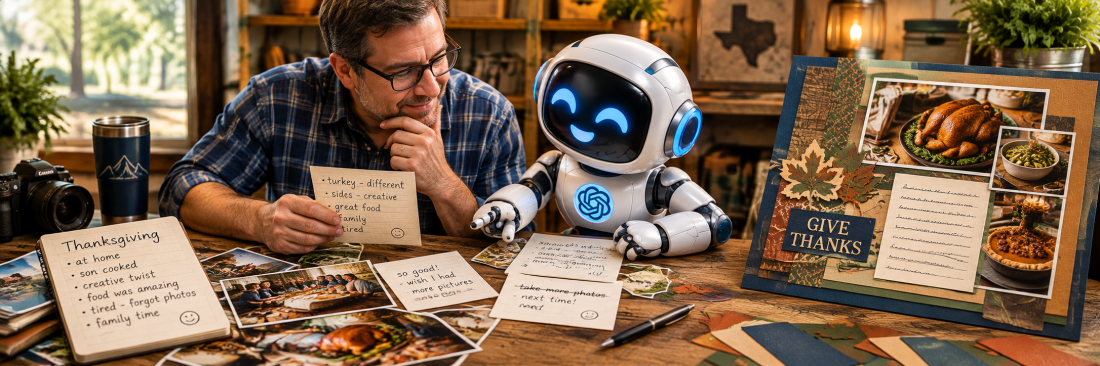
For example, suppose I’m scrapbooking a family Thanksgiving gathering. My initial notes might look something like this:
- Thanksgiving at home with family.
- My son prepared most of the meal.
- He made traditional Thanksgiving foods but put his own creative spin on them.
- The food was wonderful.
- I was tired and forgot to take as many photographs as I intended.
- I especially wanted to remember the meal and the time we spent together.
These aren’t particularly elegant notes, but they contain the basic ingredients of a story.
Now I can ask ChatGPT to help turn them into something more readable.
Prompt 1: Turning rough notes into journaling
I’m creating a scrapbook page about a family Thanksgiving gathering. Below are my rough notes about the experience. Please turn these notes into two or three conversational paragraphs suitable for scrapbook journaling. Organize the information naturally, but keep the writing personal and informal. Don’t invent any events, conversations, feelings, or details that I haven’t provided. If something important seems to be missing, ask me rather than making it up. Here are my notes: [Paste your notes here.]
What I like about this approach is that I don’t have to worry about grammar, sentence structure, or finding the perfect opening line while I’m trying to remember what happened. I can focus on getting the memories onto the screen.
ChatGPT can then help organize those thoughts into a narrative that flows more naturally.
Of course, I still need to read the result carefully. Sometimes ChatGPT uses language that’s more formal or sentimental than I would normally use. It may also emphasize something that wasn’t particularly important to me.
That’s when I can provide additional instructions. I might say, “This is a little too sentimental. Make it more conversational,” or “The most important part of this memory was how creative my son was with the food. Put more emphasis on that.”
The goal isn’t to accept the first version ChatGPT produces. It’s to use that version as a starting point for telling the story the way I want it told.
Step 2: Finding the Right Tone for the Memory
Once I have a basic piece of journaling, the next question is whether it sounds right. Different memories call for different approaches.
A scrapbook page about a funny family experience might benefit from a little humor. A page about a meaningful milestone might be more reflective. Travel journaling might be enthusiastic and descriptive, while an ordinary family memory might work best with a relaxed, conversational tone. Sometimes I know exactly how I want something to sound. Other times, I find it helpful to experiment.
This is another area where ChatGPT can be useful.
Rather than rewriting the story myself several times, I can ask ChatGPT to show me how the same information might sound in different styles.
Prompt 2: Exploring different tones
Using the scrapbook journaling we’ve developed, create four different versions of the same story. Make one version humorous, one reflective, one conversational, and one nostalgic. Preserve the actual facts and details of the memory in every version. Don’t invent additional events, conversations, or emotions simply to make a particular tone work. Keep each version approximately the same length so I can compare how the tone changes the storytelling.
What I find interesting about this exercise is how much the tone can influence the way we experience a memory. A humorous version might emphasize the unexpected or amusing parts of the experience. A reflective version might focus more on why the memory matters. A nostalgic version might look back on the occasion with a greater sense of time and perspective.
But I also think it’s important to recognize that these are only possibilities. I might read all four versions and decide that none of them sounds quite right. Or I might like the opening of one and the ending of another. That’s perfectly reasonable.
I can tell ChatGPT, “I like the conversational version best, but I want to keep a little of the humor from the first version.”
This kind of experimentation can be particularly helpful when I’m not sure how to begin writing about an experience.
It also reminds me that scrapbook journaling doesn’t need to sound like a formal essay. Sometimes the best writing is simply the version that sounds most like something I’d say while telling the story to a friend.
Step 3: Making the Journaling Fit the Available Space
Here’s a challenge that anyone who creates physical scrapbook pages will probably recognize. You finally have the journaling written exactly the way you want it, and then you realize there’s not enough room for it on the page.
I frequently design my scrapbook layouts around the photographs first. I may have a title, several embellishments, and perhaps some memorabilia that I want to include. By the time I get to the journaling, the available space can be fairly limited. Sometimes I have room for several paragraphs. Other times, I may only have a small journaling block or a narrow strip of cardstock.
Rather than eliminating the journaling entirely, I can ask ChatGPT to help me create shorter versions.
Prompt 3: Writing for different amounts of space
Take the scrapbook journaling we’ve developed and create three versions that will fit different amounts of space on a scrapbook page. Version 1: Approximately 30 words for a small journaling card. Version 2: Approximately 75 words for a medium-sized journaling block. Version 3: Approximately 150 words for a larger journaling section. Preserve the most important details and the personal meaning of the story. Don’t introduce any new facts, and don’t make the shorter versions sound like generic photo captions. Keep the conversational tone we’ve selected.
This gives me several options to consider when planning the final layout. I might discover that the 75-word version tells the story perfectly well, even though I originally wrote twice as much. Or I might decide that the longer version contains details I don’t want to lose, which means I’ll need to adjust the layout to make room. I don’t necessarily want to shorten every memory just because the page is crowded. Sometimes the journaling is important enough that it deserves more space, even if that means reducing the number of embellishments or changing the photograph arrangement.
There’s also a practical limitation worth mentioning. Word count doesn’t translate directly into physical dimensions. The amount of space required depends on the font, font size, line spacing, and width of the journaling block.
I can ask ChatGPT to help estimate the length, but I’ll still need to check the actual text in the program I’m using to prepare it for printing.
The important thing is that I have choices. I can adjust the writing, the layout, or both.
Step 4: Discovering the Details We May Have Forgotten to Include
Of the four techniques we’re exploring, this may be the one I find most interesting. Sometimes the problem with scrapbook journaling isn’t that we don’t know how to write the story. It’s that we haven’t thought about everything we want to remember.
We may describe where we went and what we did without explaining what made the experience special. Or we might leave out a small detail that seems unimportant today but could become meaningful years from now.
This is where ChatGPT can help by asking questions rather than immediately producing more writing.
For our Thanksgiving example, perhaps I’ve already described the meal and mentioned that my son prepared it. But there may be other details worth preserving. What made his preparation of the meal unusual? Was there a particular dish that surprised me? What was happening around the table? Was there something about the day that I especially want to remember?
Rather than asking ChatGPT to invent those details, I can ask it to help me think about them.
Prompt 4: Discovering missing details
Review the scrapbook journaling we’ve developed so far. Instead of rewriting it immediately, ask me five thoughtful questions that might help me remember additional details or explain why this experience was meaningful. Focus on things that would make the story more personal, such as specific moments, unexpected events, sensory details, relationships, or what made the experience memorable. Don’t assume you know the answers, and don’t invent details. After I answer the questions, help me incorporate any relevant information into the journaling while preserving the tone and approximate length we’ve selected.
I particularly like the instruction to ask questions before rewriting the story. It changes ChatGPT’s role from writer to something closer to an interviewer.
I can answer the questions individually, ignore any that aren’t relevant, or explain that I simply don’t remember a particular detail. Sometimes a question may remind me of something I hadn’t thought about in years. Other times, it may help me realize that the story is already complete and doesn’t need anything more. Either outcome is useful. And once I’ve answered the questions, ChatGPT can help incorporate the new information into the journaling without requiring me to start over.
This is also a good reminder that the most meaningful details in our scrapbook stories often come from our own memories, not from the photographs themselves.
A picture might show everyone sitting around the Thanksgiving table, but it doesn’t necessarily explain the conversations, the laughter, or the circumstances that made the gathering memorable. Those are the things journaling can preserve.
A Few Things I Keep in Mind When Using ChatGPT for Journaling
Although I find ChatGPT helpful for organizing and refining my writing, there are a few things I think are particularly important.
First, I always want to make sure the facts are accurate. ChatGPT can occasionally add details that sound perfectly reasonable but weren’t actually part of the experience. That might make the writing more polished, but it doesn’t make it a better record of the memory.
Second, I don’t want every scrapbook entry to sound the same. Some stories should be funny, others serious, and others simply straightforward descriptions of what happened. I want the writing to reflect the experience rather than follow a formula.
Third, I don’t think every scrapbook page needs extensive journaling. Sometimes a short caption and a date are enough. Other times, the story deserves several paragraphs.
Finally, I want to remember that the purpose of journaling isn’t necessarily to produce beautiful writing. It’s to preserve something meaningful. A simple sentence that captures an authentic memory may be more valuable than an elaborate paragraph that doesn’t sound like me.
The Story Still Belongs to You
One of the things I appreciate about using ChatGPT for scrapbook journaling is that it can help with several different challenges.
It can organize rough notes, show me different ways to express an idea, shorten a story to fit the available space, and ask questions that help me remember additional details. But it can’t tell me what an experience meant to me. That’s something only I can decide.
I think the best way to approach AI-assisted journaling is to begin with our own memories and use ChatGPT to help communicate them more clearly. We can accept suggestions, reject phrases that don’t sound right, and continue refining the writing until we’re comfortable with the result.
After all, the scrapbook isn’t supposed to preserve ChatGPT’s interpretation of my life. It’s supposed to preserve my experiences, my memories, and my perspective. And if ChatGPT can help me put those things into words, I think that’s a worthwhile use of the technology.
In the next article in our AI in the Scrapbook Room series, From Dictation to Scrapbook Journaling: Talking Through Your Memories with ChatGPT, we’ll explore what happens when we stop typing and start talking. Sometimes telling a story aloud can bring out details, expressions, and emotions that don’t emerge quite as naturally when we’re sitting at a keyboard.
Categories: AI Tips and Tricks, Articles

