
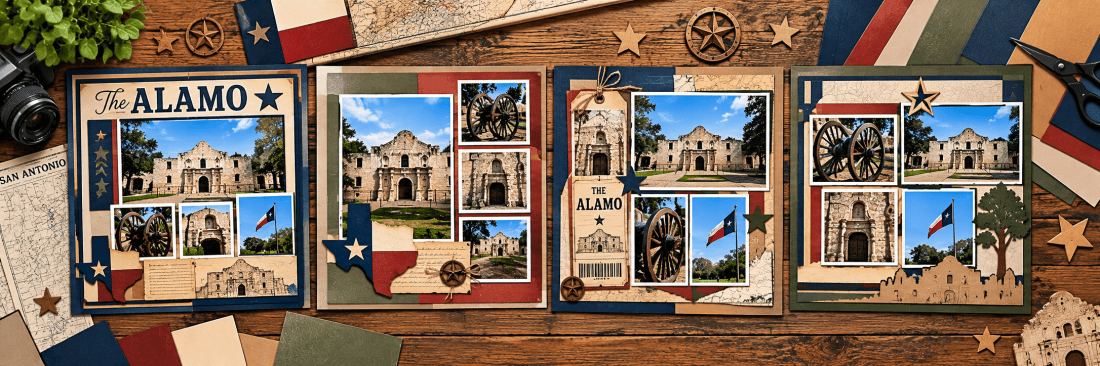
Using ChatGPT to Brainstorm Scrapbook Layouts
AI in the Scrapbook Room: Article 8
One of the things I enjoy most about scrapbooking is figuring out how to arrange photographs on a page. Sometimes the layout comes together almost immediately. Other times, I find myself moving photographs around, trying different arrangements, and wondering whether there’s a better way to use the available space.
Since I generally create 12-by-12-inch scrapbook pages, often as two-page spreads, I spend quite a bit of time thinking about where photographs, titles, embellishments, and memorabilia will go. I typically work with printed 4-by-6-inch photographs, and I like to have a reasonably good idea of my layout before I start cutting cardstock.
This is another area where ChatGPT can become a useful brainstorming partner. Instead of starting with a blank page and trying to imagine all the possible arrangements, I can describe what I’m working with and ask ChatGPT to suggest several alternatives.
But there’s one important requirement: I want to see the layouts, not just read descriptions of them!
That’s why, for this article, we’re going to focus on having ChatGPT create visual layout sketches. These aren’t necessarily finished scrapbook designs. They’re starting points that help us explore different arrangements before committing to one.
1. Starting with Your Photographs
The most straightforward approach is to begin by telling ChatGPT how many photographs you have, their dimensions, and whether they’re portrait or landscape orientation.
For example, you might have four 4-by-6-inch photographs from a family outing, with two printed vertically and two horizontally. You want to fit them on a single scrapbook page, but you’re not sure how to arrange them while leaving room for a title.
Instead of describing possible layouts in words, ask ChatGPT to create several visual sketches showing different arrangements. This gives you something concrete to react to. You might immediately like one arrangement, or you might see elements from several sketches that you’d like to combine.
Try this prompt:
I’m creating a 12-by-12-inch scrapbook page with four photographs. Two are 4 inches wide by 6 inches tall, and two are 6 inches wide by 4 inches tall. Please create three different visual layout sketches showing how I could arrange these photographs on the page. Use simple rectangular photo placeholders with an X through each one. Include space for a title and a few embellishments. Keep the photograph proportions accurate and show the entire 12-by-12-inch page in each sketch. I want to see the layouts rather than read descriptions of them.
After seeing the results, you can ask ChatGPT to make adjustments. Perhaps you want the photographs closer together, more room for embellishments, or a title running vertically along one side. You can also ask it to combine features from two different sketches.
Video Tutorial 1: Starting with Your Photographs
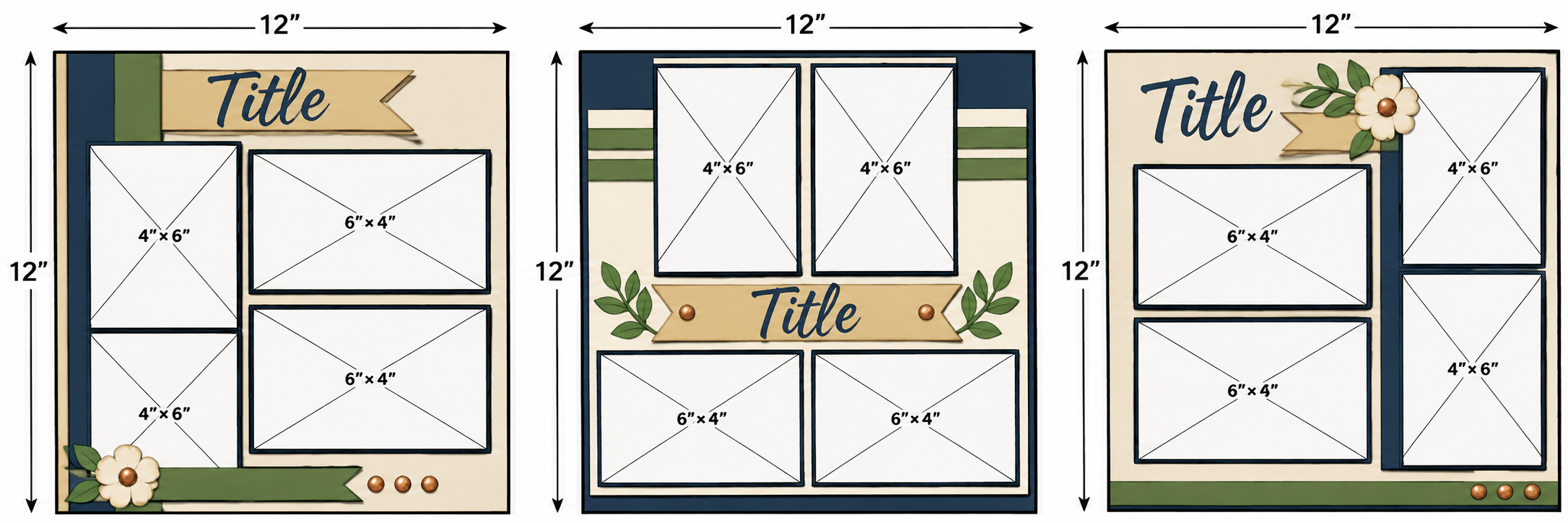
Note: ChaptGPT is still struggling with getting dimensions correct – notice that the above generate images are impossible because of the proportions.
2. Designing Around an Important Photograph
Not every photograph in a scrapbook layout needs to receive equal attention. Sometimes one photograph is particularly meaningful, and I want it to be the focal point of the page.
Perhaps it’s a family portrait, a photograph of a spectacular landscape, or an image that captures the most important moment of an event. The other photographs help tell the story, but they shouldn’t compete with that main image.
ChatGPT can help explore arrangements that give one photograph greater prominence. You can specify the size of your focal photograph, provide the dimensions of the supporting photographs, and ask for several different visual approaches.
Try this prompt:
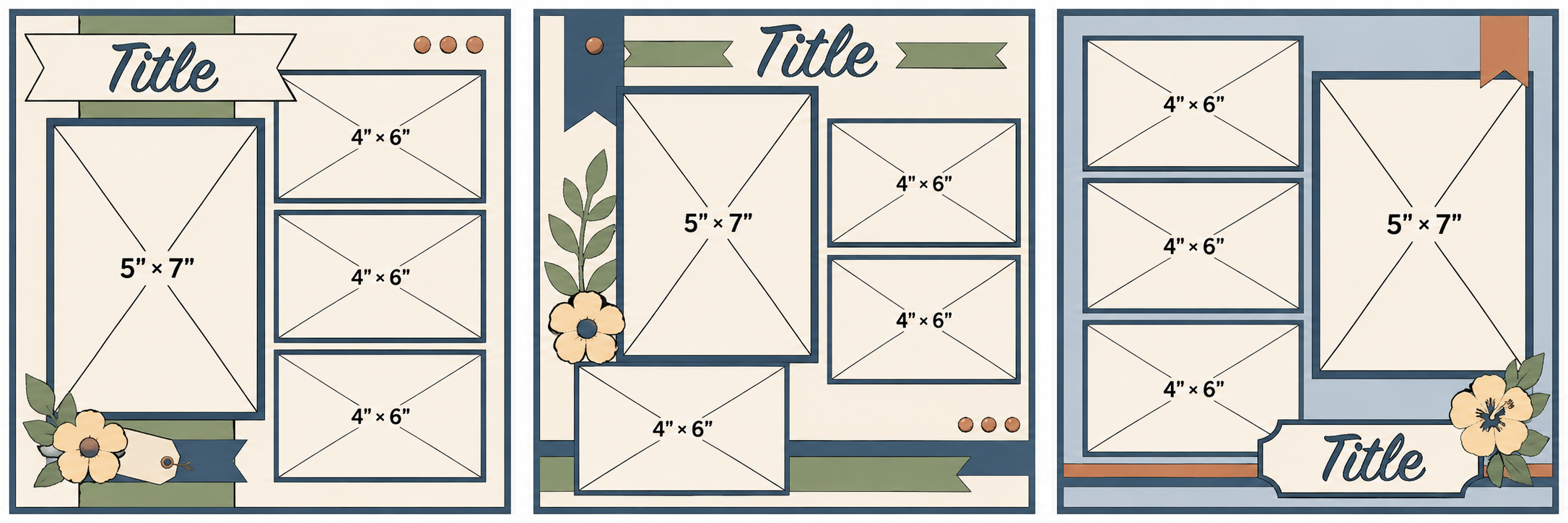
I’m designing a 12-by-12-inch scrapbook page featuring one important 5-by-7-inch portrait photograph and three supporting 4-by-6-inch photographs. The supporting photographs are all landscape orientation. Please create three different visual layout sketches that emphasize the 5-by-7 photograph as the focal point. Use accurately proportioned rectangular photo placeholders with X marks, and include room for a title and embellishments. Show the full page in each sketch, and make sure the photographs fit without overlapping.
This is also an opportunity to experiment with visual balance. You might ask ChatGPT to place the focal photograph in the center, toward one side, or near the top of the page. Each arrangement can create a different impression.
If you have a particular photograph in mind, you can upload it to help ChatGPT understand the subject and suggest an appropriate layout. Just be clear that you want a sketch using photo placeholders, rather than having it recreate or alter the original photograph.
Video Tutorial 2: Designing Around an Important Photograph
3. Working with Different Numbers of Photographs
One of the challenges of scrapbooking is that every event seems to produce a different number of photographs worth preserving. Sometimes I have only two or three photographs from an experience. Other times, I have eight or ten that I’d really like to include.
A layout that works beautifully with three photographs probably won’t work nearly as well with eight. The number of photographs affects how much space remains for titles, journaling, and embellishments, as well as how crowded the page might feel.
ChatGPT can help us visualize those differences by creating sketches for several photo counts. This is especially useful when deciding whether an event deserves a single page or a two-page spread.
Try this prompt:
I want to compare different scrapbook layout possibilities based on the number of photographs. Please create three visual layout sketches, each using two 12-by-12-inch pages. The first should contain four 4-by-6-inch photographs, the second should contain six, and the third should contain eight. You may rotate the photographs between portrait and landscape orientation, but do not crop or resize them. Use simple rectangular placeholders with X marks, and include space for a title and embellishments wherever practical. Keep all dimensions proportional and show the full spread in each sketch.
The goal isn’t necessarily to squeeze the greatest possible number of photographs into the available space. It’s to see different possibilities and decide which arrangement best supports the story you’re trying to tell.
Video Tutorial 3: Working with Different Numbers of Photographs
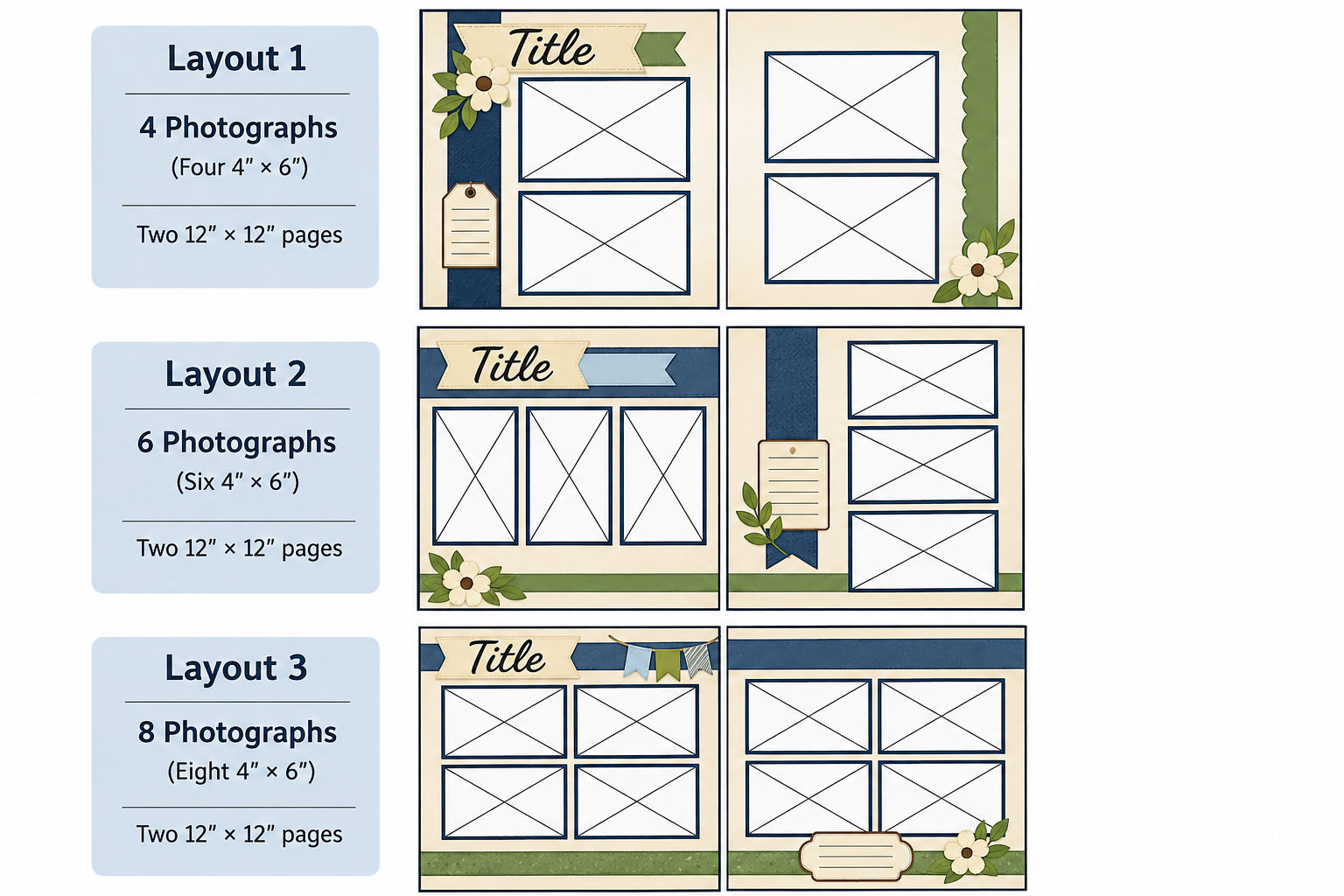
Note: ChatGPT is still struggling with sizes and proportions – but you can still get creative ideas for what the pages may look like.
4. Incorporating Memorabilia and Ephemera
If you’ve followed my scrapbooking projects for a while, you know that I enjoy incorporating memorabilia and ephemera into my pages. Tickets, brochures, restaurant menus, maps, programs, and other keepsakes can add something special to a layout because they’re physical reminders of the experience.
Of course, these items can also make layout planning more complicated. Unlike photographs, memorabilia doesn’t necessarily come in standard sizes. A ticket might be long and narrow, while a brochure could occupy nearly half a page.
This is where ChatGPT can help us brainstorm ways to arrange photographs and memorabilia together. By providing the approximate dimensions of each item, we can ask it to create sketches showing different possibilities.
Try this prompt:
I’m creating a double 12-by-12-inch scrapbook spread with three 4-by-6-inch photographs, a ticket measuring approximately 2 by 5 inches, and a folded brochure measuring 4 by 6 inches. Two photographs are landscape orientation, and one is portrait. Please create three different visual layout sketches showing how I could arrange everything on the page. Use rectangular placeholders with X marks for the photographs and clearly labeled placeholders for the ticket and brochure. Include room for a title if possible. Keep the proportions accurate and show the full spread in each sketch.
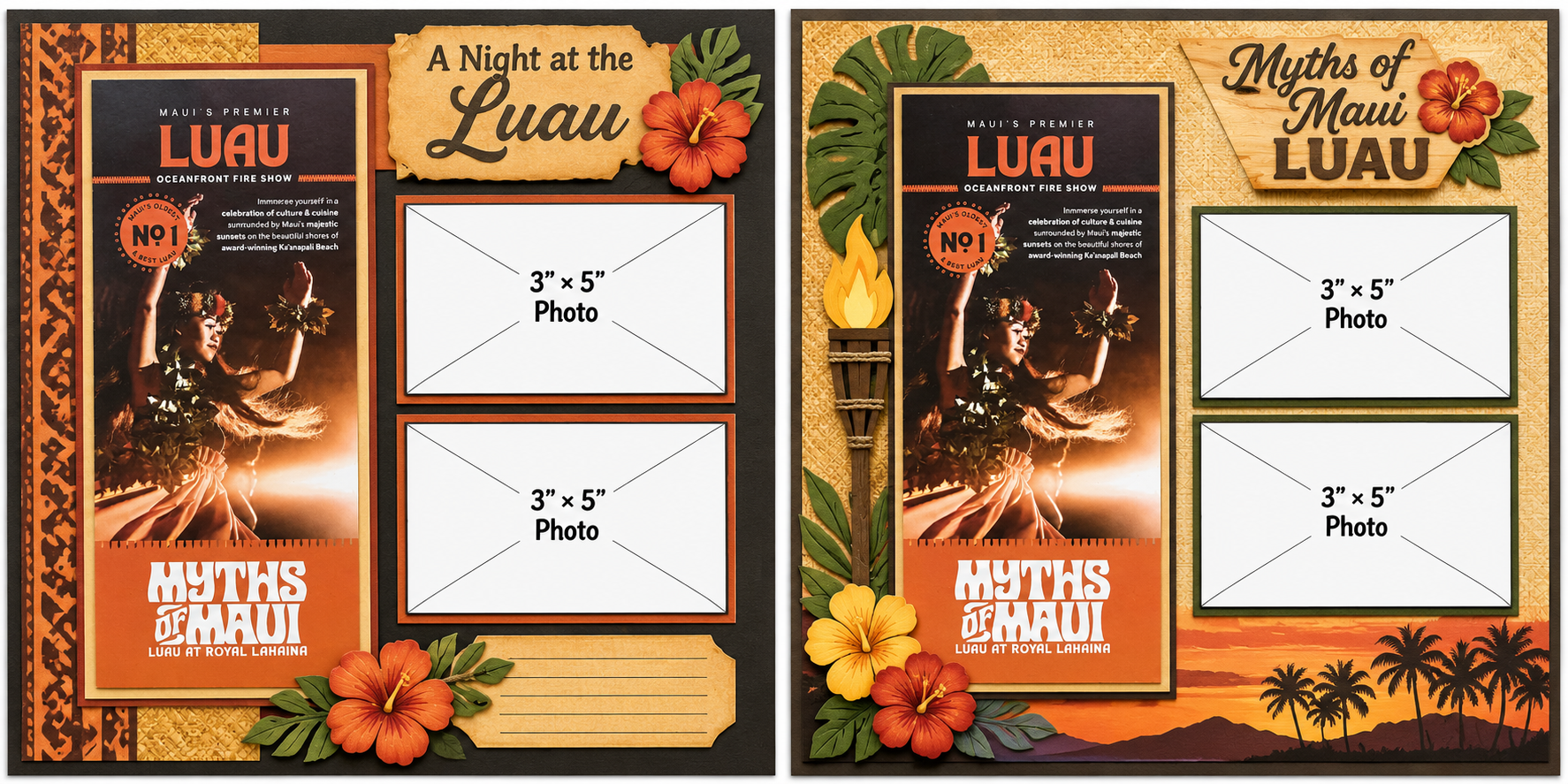
You can make this even more useful by uploading photographs of your memorabilia. ChatGPT may be able to suggest ways to incorporate unusual shapes or identify which items could serve as focal points. Especially helpful is taking photos of your ephemera on a ruled cutting mat so that ChatGPT can actually see the sizes.
Video Tutorial 4: Incorporating Memorabilia and Ephemera
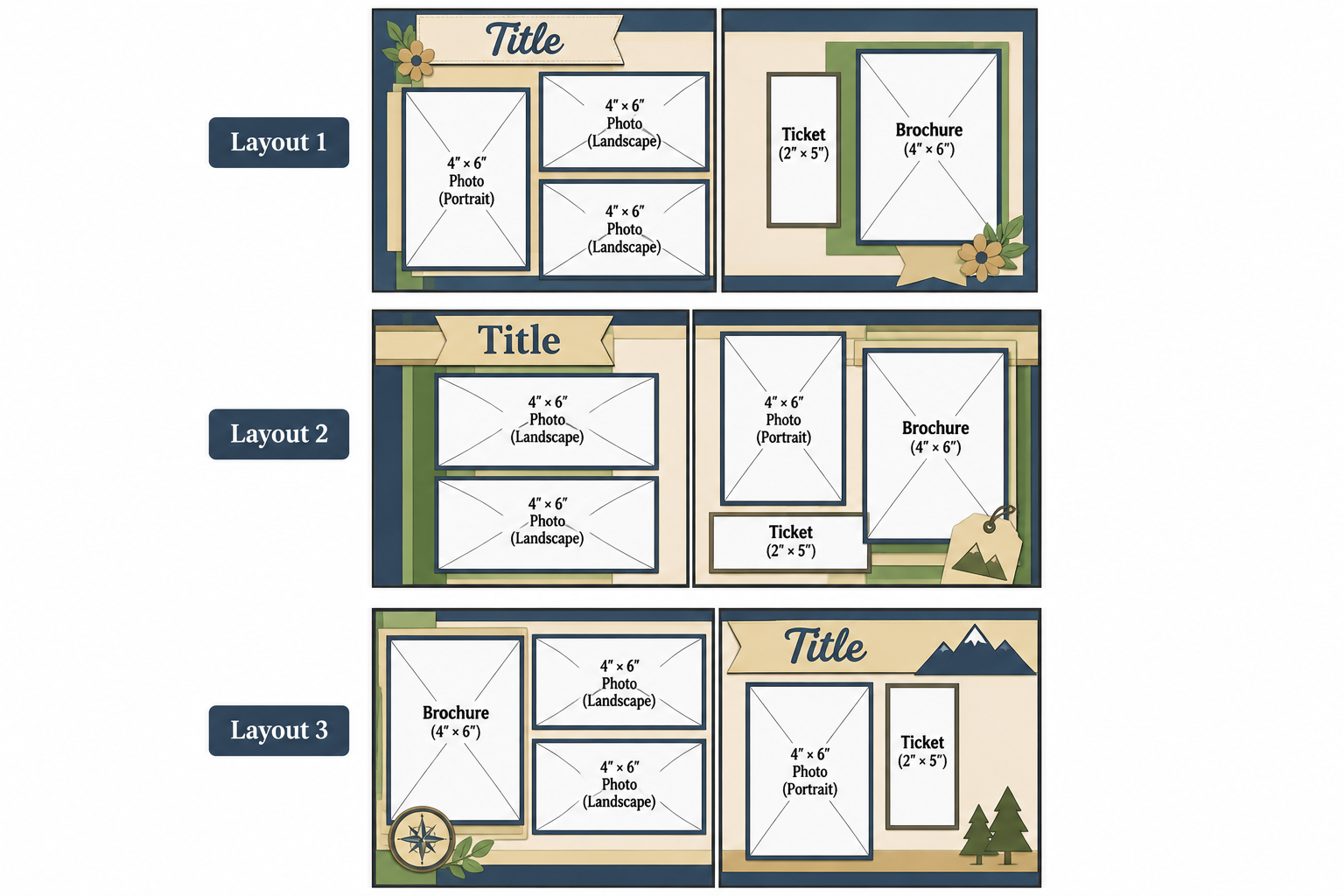
NOTE: ChatGPT is stull struggling with sizes and proportions so you can tell that these are not accurate – but it does give some ideas of different ways to place the same photos and memorabilia.
A Good-Looking Sketch Isn’t Always a Workable Layout
There’s something important to understand about using AI for scrapbook layout planning: ChatGPT can create visually appealing sketches that don’t always follow the measurements you provide.
For example, you might request four 4-by-6-inch photographs, only to receive a sketch where the rectangles have been stretched, cropped, or arranged in a way that wouldn’t actually fit on a 12-by-12-inch page. It might also leave too little room between photographs for the cardstock mats you plan to add.
This is particularly important for those of us who use a Cricut to cut photo mats and embellishments. A sketch that looks attractive on the screen isn’t necessarily ready to become a cutting project.
I recommend treating AI-generated sketches as creative concepts rather than precise cutting templates. Before cutting cardstock, verify the dimensions and recreate the arrangement accurately in your design software.
In my case, I use the Guide feature in Cricut Design Space to establish the dimensions of my pages and photographs. That allows me to experiment with the placement of the actual shapes and develop the cardstock mats and embellishments around them.
I also encourage you to be specific when something doesn’t work. If ChatGPT creates a layout with incorrect proportions, tell it exactly what needs to change and ask for another version. You may need several attempts before getting a sketch that reflects your requirements.
Don’t Be Afraid to Ask for More Options
One of the advantages of brainstorming with ChatGPT is that you’re not limited to the first three suggestions. If none of the layouts appeals to you, ask for three more. If you like the overall arrangement but dislike the title placement, ask it to keep the photographs where they are and move the title.
You can also describe your personal design preferences. Perhaps you prefer clean lines and geometric shapes, want a more masculine appearance, or like to leave room for large cardstock embellishments. The more clearly you explain what you’re looking for, the bet
Categories: AI Tips and Tricks, Articles

