
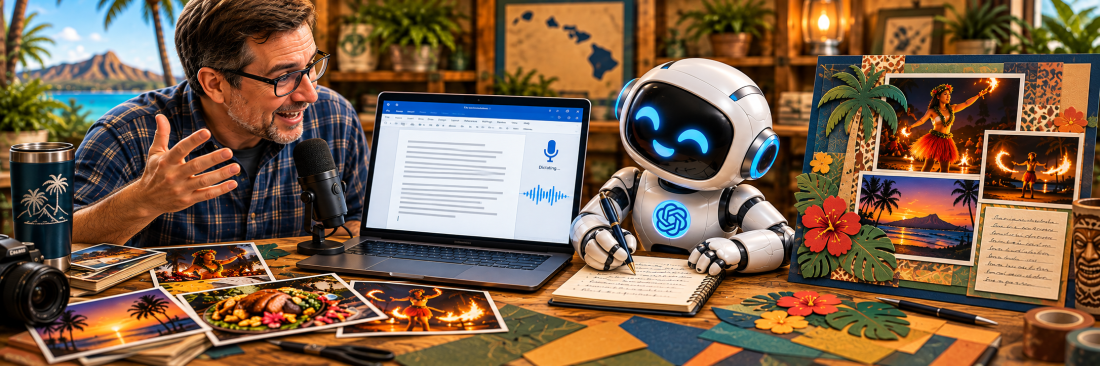
From Dictation to Scrapbook Journaling: Talking Through Your Memories with ChatGPT
AI in the Scrapbook Room: Article 15
Have you ever sat down to write about a memory and found yourself struggling to get started? You know what happened. You remember the people, the places, and the experiences. But somehow, turning those memories into written paragraphs feels more difficult than simply telling someone the story.
I’ve found that sometimes the easiest way to write about an experience is to stop trying to write and just start talking.
In the previous article in my AI in the Scrapbook Room series, we explored how ChatGPT can help turn typed notes into meaningful scrapbook journaling. We looked at organizing our thoughts, finding the right tone, adjusting the length of our writing, and asking questions that help us remember additional details.
This time, we’re going to approach the process a little differently.
Instead of typing my memories into ChatGPT, I’m going to talk through them aloud, use Microsoft Word to transcribe what I’m saying, and then work with ChatGPT to turn that transcription into scrapbook journaling.
For this demonstration, I’ll be revisiting my memories of a Hawaiian luau. I’ve already worked on scrapbook layouts featuring photographs from the experience, but now I want to concentrate on preserving the story behind those photographs.
And I’m going to do something that might seem a little unusual: I’m deliberately not going to prepare a polished script before I begin. I want the transcription to be raw. I expect to repeat myself, change direction, pause while I remember something, and perhaps even correct myself halfway through a thought. That’s the point of the exercise.
At the bottom of this article, I’ve included a video showing the process, from recording my memories in Word to working with ChatGPT to develop the final journaling. You’ll be able to see the original transcription and how it changes as we work through the steps.
Step 1: Getting the Memories Out by Dictating into Microsoft Word
One of the first things I discovered when experimenting with ChatGPT for spoken storytelling is that I don’t particularly like using its conversational voice feature for this purpose. When I’m trying to remember something, I often need time to think. I might describe part of an experience, pause for several seconds while I try to remember what happened next, and then continue talking. Sometimes a memory will remind me of something else, and I’ll head off in a completely different direction before returning to the original story.
When I’ve tried doing this directly with ChatGPT’s voice conversation feature, I’ve found that it sometimes assumes I’m finished talking before I actually am. It responds or interrupts while I’m still trying to collect my thoughts. That may be fine for a normal conversation, but it isn’t particularly helpful when I’m trying to reconstruct a memory.
So I’ve adopted a different approach.
I use the Dictate feature in Microsoft Word to capture my thoughts first. Then I copy the transcription into ChatGPT when I’m ready to work on the writing.
This separates two activities that I think work better when they’re handled independently: remembering the experience and organizing the story.
How I use Word for dictation
The process is straightforward. I open a blank document in Microsoft Word, select the Dictate feature from the Home ribbon, and begin talking.
I don’t worry about writing complete sentences. I don’t try to put everything in chronological order. I simply describe what I remember.
For my Hawaiian luau, I might begin by describing the setting, then remember something about the food, then jump ahead to the entertainment. I may talk about the dancers, the atmosphere, or the photographs I took. If I suddenly remember something that happened earlier in the evening, I’ll add it wherever I happen to be in the transcription. I’m not trying to produce a finished story at this stage. I’m trying to capture as much of the memory as I can.
Word isn’t perfect at transcription. It may misunderstand a word, add punctuation in an unexpected place, or create sentences that don’t make much sense. I may also repeat myself or leave thoughts unfinished. I’m not particularly concerned about those things right now.
You also don’t necessarily need Microsoft Word. Other dictation tools can accomplish the same basic task. What matters is having a way to capture your spoken thoughts as text that you can copy into ChatGPT.
The first lesson here is simple: Don’t worry about making the transcription pretty. Just get the memories out.
Step 2: Turning the Raw Transcription into Scrapbook Journaling
Once I’ve finished talking through the luau, I’ll have a Word document containing my recollections. It may be several pages long. There may be repeated ideas, incomplete sentences, and places where I’ve jumped from one subject to another. There may also be transcription errors that need clarification.
Rather than spending a lot of time editing the document myself, I’ll copy the raw transcription directly into ChatGPT. This is where AI can begin helping with the writing.
I’ll ask ChatGPT to identify the main elements of the story, organize them into a logical sequence, and turn my spoken recollections into readable paragraphs.
But there’s an important distinction between organizing a story and creating one. I want ChatGPT to work with the memories I’ve provided, not invent details to fill in the gaps.
Prompt 1: Organizing a raw transcription
I’m creating scrapbook journaling about a Hawaiian luau I attended. Below is a raw transcription of me talking through my memories of the experience. The transcription may include repeated thoughts, incomplete sentences, incorrect punctuation, transcription errors, and details that aren’t in chronological order. Please organize the material into a coherent first-person narrative suitable for scrapbook journaling. Keep the writing conversational and personal, as though I’m telling someone about the experience. Remove unnecessary repetition and improve the organization, but preserve the actual details, observations, and personality of my recollections. Don’t invent events, conversations, emotions, or factual details. If something in the transcription is unclear or contradictory, identify it rather than guessing. Here’s my transcription: [Paste the raw transcription from Word here.]
I’m particularly interested in seeing how ChatGPT handles the less organized parts of the transcription.
For example, I may talk about the food at several different points in my recollection. ChatGPT might recognize that those comments belong together and combine them into one section of the story. I might describe the entertainment before explaining the setting. ChatGPT could reorganize those details to make the narrative easier to follow. And if I repeat the same observation three times, ChatGPT can usually eliminate the repetition without losing the meaning. The result should be a much more readable account of the experience. But it won’t necessarily be finished.
I’ll need to read through the narrative and compare it with what I actually remember. If ChatGPT has misunderstood something, I’ll correct it. If it has emphasized the wrong part of the experience, I’ll ask for a revision. And if it has introduced something I didn’t say, I’ll remove it.
One thing I want to avoid is having ChatGPT transform a fairly ordinary recollection into an overly dramatic travel essay. Not every experience needs to be described as magical, unforgettable, or life-changing. Sometimes I simply want to tell the story of an enjoyable evening, the food I ate, the performances I watched, and the people who were there. .
Step 3: Letting ChatGPT Ask Questions About the Memory
After ChatGPT has organized the transcription into a readable story, I want to try something that I think is particularly valuable.
Instead of immediately accepting the revised journaling, I’m going to ask ChatGPT to interview me. One of the limitations of writing from memory is that we don’t always recognize what we’ve left out. We know the experience so well that we may assume certain details are obvious. But someone reading our scrapbook years from now won’t necessarily have that same context. For example, I might describe the dancers at the luau without explaining what made their performances interesting to me. I might mention the food without describing anything particularly memorable about it. Or I might completely overlook a detail that would make the story more meaningful.
ChatGPT can help by reviewing what I’ve said and asking questions that encourage me to think a little more deeply about the experience.
Prompt 2: Asking questions to uncover more details
Review the scrapbook journaling you’ve created from my Hawaiian luau transcription. I’d like you to act as an interviewer and help me determine whether there are important details or memories that I’ve left out. Ask me five thoughtful, specific questions based on what I’ve already shared. Focus on details that could make the story more personal, descriptive, or meaningful. You might ask about the setting, the food, the performances, the people, unexpected moments, or why particular parts of the experience stood out to me. Don’t assume you know the answers, and don’t ask generic questions if you can ask something more specific based on my transcription. Wait for my answers before rewriting the journaling.
What I like about this approach is that ChatGPT isn’t simply telling me what to write. It’s helping me think about what I remember.
Some questions may lead nowhere. I may not remember a particular detail, or I may decide that it isn’t important enough to include. Other questions may trigger memories that weren’t part of my original transcription. And I can answer those questions however I prefer. I might type a short response directly into ChatGPT. Or, if the answer turns into another long recollection, I can return to Word, dictate my thoughts, and paste that additional transcription into the conversation. I don’t have to use the same method for every part of the process. Once I’ve answered the questions, I’ll ask ChatGPT to incorporate any relevant new details into the story.
Prompt 3: Incorporating the additional memories
Using my answers to your follow-up questions, revise the Hawaiian luau journaling. Incorporate the additional details where they naturally belong in the story. Avoid simply adding them as a separate paragraph at the end. Keep the writing conversational and consistent with the original narrative. Don’t include every new detail automatically. Use the information that genuinely improves the story, and don’t invent anything to connect the different parts. If something I’ve said conflicts with the original transcription, ask me to clarify it before making the change.
I think this is where the process can become especially interesting. The original transcription may have captured the main events, but the follow-up questions can help bring out the smaller details that make the story personal. And those details are often what I most want to preserve in my scrapbooks.
Step 4: Turning the Story into Scrapbook-Ready Journaling
By this point, I may have a fairly substantial narrative about the luau. That’s wonderful if I’m writing a travel journal, but it creates a familiar scrapbooking problem. Where am I going to put all those words?
I primarily create 12-by-12-inch scrapbook pages and coordinated two-page spreads. I also tend to use quite a few photographs, especially when I’m documenting travel experiences.
For the Hawaiian luau, I have photographs of the entertainment, including dancers performing in different lighting conditions, along with other details from the experience. Those photographs need space. So do the titles, cardstock designs, and embellishments. That means the amount of room available for journaling may be limited.
Fortunately, once ChatGPT has helped me develop the story, I can ask it to create versions of different lengths.
Prompt 4: Creating scrapbook-ready versions
Take the revised Hawaiian luau story we’ve developed and create three versions suitable for scrapbook journaling. Version 1: Approximately 50 words for a small journaling block. Version 2: Approximately 125 words for a medium-sized journaling area. Version 3: Approximately 250 words for a larger journaling section or a two-page spread. Keep the first-person conversational style and preserve the most meaningful details. Don’t add new information, and don’t turn the shorter versions into generic descriptions of a Hawaiian luau. They should still tell my particular story. After presenting the three versions, briefly explain which details you prioritized in each one.
I like asking ChatGPT to explain what it prioritized because shortening a story always involves making choices.
What gets removed? What remains? And does the shorter version still capture what I most want to remember?
Sometimes the answer may be yes. A relatively short paragraph may preserve the essence of the experience perfectly well. Other times, I may realize that I don’t want to sacrifice certain details just to make the journaling fit. In that case, I have several options.
I could change the scrapbook layout to create more room. I could add a separate journaling card. I might even decide that the story deserves its own page. I don’t want to lose an important memory simply because I designed the page before deciding how much I wanted to write.
And there’s another possibility worth considering. The complete narrative doesn’t necessarily have to appear on the scrapbook page. I could print a shorter version for the layout while keeping the longer story with my digital scrapbook materials or in a separate family history document. That way, the scrapbook page tells the essential story, but the more complete recollection is still preserved.
Why I Think Dictation Is Worth Trying
There is something different about speaking a memory aloud. When I type, I tend to think about the writing while I’m creating it. I worry about how a sentence sounds, whether I’ve used the right word, or how I should organize the next paragraph.
When I’m talking, I’m more likely to concentrate on the experience itself. I may remember something unexpectedly. I might interrupt my own story to explain a detail. I may laugh at something that happened or realize halfway through that I’ve forgotten an important part of the experience. Those things can make the transcription messy, but they can also make it richer.
I don’t think dictation is necessarily better than typing for everyone. Some people organize their thoughts more effectively when they write. Others may feel uncomfortable talking aloud to a computer.
But if you’ve ever struggled to begin scrapbook journaling, I think it’s worth experimenting with. You don’t have to speak eloquently. You don’t have to prepare an outline. And you certainly don’t have to get everything right on the first attempt. You just need to start remembering.
A Few Cautions About Using AI with Spoken Memories
As useful as this process can be, I think there are several things we need to keep in mind.
First, transcription isn’t always accurate. Word may misunderstand names, locations, or unfamiliar terms. Before accepting ChatGPT’s rewritten version, I need to make sure those details are correct.
Second, ChatGPT may misunderstand the meaning of a spoken recollection. When we talk, we often leave sentences unfinished or refer back to something we mentioned earlier. AI may connect those thoughts incorrectly. That’s why reviewing the final narrative matters.
Third, a polished story isn’t necessarily a more authentic story. I don’t want ChatGPT to remove every trace of my personality in the name of improving the writing. If I made an amusing observation or used an expression that sounds like me, I may want to preserve it.
Finally, some memories are personal. Before uploading a transcription, it’s worth considering whether it contains sensitive information about family members or other people. We should be thoughtful about what we share with any online service.
I also think that sometimes it’s worth keeping the original transcription, even after the journaling is finished. The transcription may contain details that don’t make it into the scrapbook, and those details could be valuable later.
The Difference Between Writing a Story and Remembering One
One of the things I’m discovering as I experiment with AI and scrapbooking is that there are really two different activities involved in journaling. The first is remembering. The second is writing. Sometimes we try to do both at the same time, and that’s where we get stuck.
Dictation allows me to concentrate on remembering the experience. I can talk through the events, revisit the photographs in my mind, and capture whatever details come back to me. Then ChatGPT can help with the writing. It can organize those recollections, eliminate unnecessary repetition, suggest questions, and help shape the story into something that works on a scrapbook page.
But the memories themselves still come from me. That’s an important distinction, particularly when we’re creating scrapbooks that we hope our families will enjoy years from now. I don’t want an artificially embellished version of my Hawaiian luau. I want my recollection of the experience, told as clearly and meaningfully as I can. And if dictation and ChatGPT can help me preserve more of those memories, I think they’re tools worth having in the scrapbook room.
In the next article, Preserving Your Voice: Making Sure AI Doesn’t Write Your Memories for You, we’ll take a closer look at something I’ve touched on throughout this discussion: how to make sure that the final journaling still sounds like the person who actually experienced the memory.
After all, there’s a difference between writing that is grammatically polished and writing that genuinely sounds like us.
Watch the Complete Luau Journaling Demonstration
In the accompanying video, I’ll work through this entire process using my memories of a Hawaiian luau.
You’ll hear me dictate my recollections into Microsoft Word, see the raw transcription before any editing, and follow along as I use ChatGPT to turn those spoken memories into scrapbook journaling.
The video is organized into four chapters corresponding to the steps in this article:
- Dictating My Luau Memories into Microsoft Word
- Turning the Raw Transcription into Journaling
- Using ChatGPT’s Questions to Remember More
- Creating the Final Scrapbook Journaling
Categories: AI Tips and Tricks, Articles

