
Creating Destination-Specific Scrapbook Embellishments with AI
AI in the Scrapbook Room: Article 20
Happy Thanksgiving!
When we think about the first Thanksgiving, most of us picture the Pilgrims and Native Americans gathering in Plymouth, Massachusetts, in 1621. But did you know that an earlier thanksgiving observance took place in St. Augustine, Florida, in 1565?
Spanish settlers, led by Pedro Menéndez de Avilés, held a religious service of thanksgiving and shared a meal with members of the local Indigenous community. This was more than 50 years before the famous gathering at Plymouth! Although historians debate what should count as the first Thanksgiving, it’s an interesting piece of American history that many people don’t know.
So what does this have to do with scrapbooking?
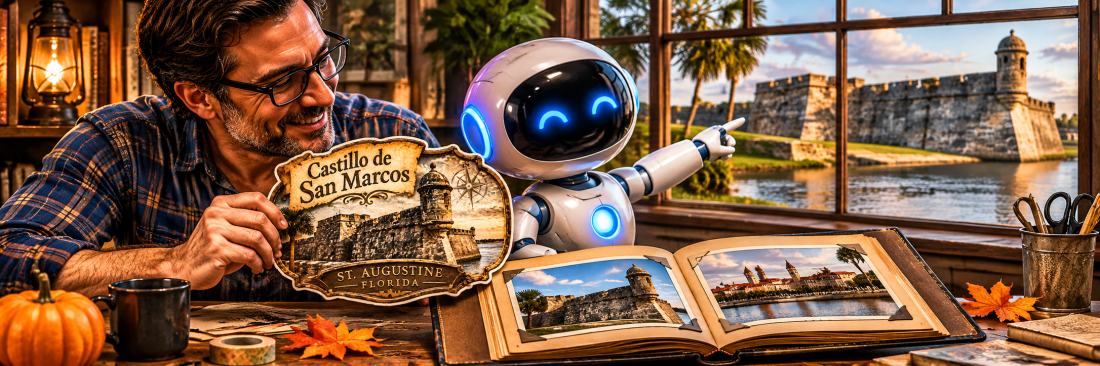
Well, I’ve visited St. Augustine, and one of the places I explored was Castillo de San Marcos, the historic Spanish fortress overlooking Matanzas Bay. The fortress wasn’t built until 1672, more than a century after that early thanksgiving gathering, but it’s one of the most recognizable landmarks in the city.
And that brings me to today’s scrapbooking project.
Creating an Embellishment for a Specific Destination
In our previous article, we created a personalized compass rose using ChatGPT. This time, I want to demonstrate how we can create an embellishment based on a particular place we’ve visited.
There are plenty of commercially available travel embellishments featuring beaches, palm trees, airplanes, and suitcases. But finding something specifically featuring Castillo de San Marcos might be a little more challenging.
Instead of searching for one, I’m going to ask ChatGPT to create it.
Here’s my prompt:
Create a vintage scrapbook embellishment featuring Castillo de San Marcos in St. Augustine, Florida. Use antique bronze, weathered stone, and parchment colors, with a historic travel-poster appearance.
That’s all I’m going to give it to start. I’m interested to see how ChatGPT interprets the fortress and incorporates its distinctive architecture into the design. I’m also curious whether it will include the name of the landmark or other decorative details without being specifically asked. Once the graphic is created, I can decide whether it fits the style of my scrapbook page.
One thing I’ll want to check is whether the illustration actually resembles Castillo de San Marcos. AI can create attractive historical-looking buildings that aren’t necessarily accurate representations of real landmarks. If I’m using the graphic to document a place I’ve visited, that distinction matters.
Making Travel Scrapbooks More Personal
What I like about this technique is that it allows me to create embellishments connected to the actual places in my photographs.
Instead of using a generic castle or fortress graphic, I can create something representing the specific landmark I visited. I can print the illustration, cut it out, and incorporate it into a scrapbook layout alongside my photographs.
The same approach could work for a favorite restaurant, a museum, a historic building, or a lesser-known attraction that doesn’t have commercially available scrapbook embellishments.
And that’s the real advantage of creating destination-specific graphics with ChatGPT. Your scrapbook embellishments can reflect the places you’ve actually experienced, rather than just the places represented in the scrapbook aisle.
So, as we celebrate Thanksgiving today, I thought St. Augustine was a particularly appropriate destination to feature. It’s a reminder that both our country’s history and our personal travel experiences have interesting stories waiting to be preserved.
Categories: AI Tips and Tricks, Articles, Thanksgiving

