
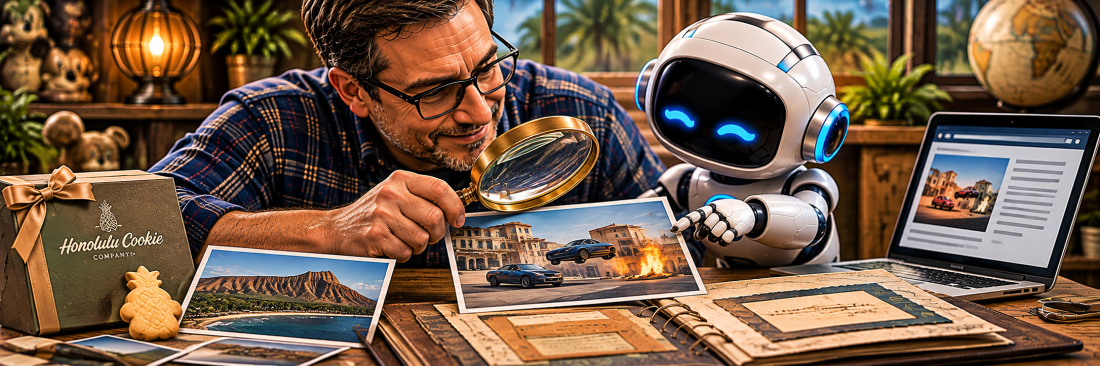
Using ChatGPT to Research the Stories Behind Your Photographs
AI in the Scrapbook Room: Article 18
One of the things I enjoy most about scrapbooking is looking back at photographs from trips I took years ago. Sometimes I remember exactly what was happening when I took a picture. Other times, I recognize the place but have forgotten its name or some of the details that made it interesting. And occasionally, I discover that the place I photographed doesn’t even exist anymore!
That’s one of the reasons I’ve started using ChatGPT to help research the stories behind my photographs. It can help me identify attractions, learn about places I’ve visited, and discover interesting information about souvenirs I’ve collected along the way.
For me, scrapbooking is about more than preserving photographs. I want to preserve the stories surrounding them. Sometimes those stories are personal memories, but sometimes they’re about the history of a place, the significance of something I saw, or the changes that have occurred since my visit.
In this article, I’m going to walk through four examples of how I use ChatGPT to research information that can make my scrapbook pages more interesting.
1. Identifying Something in an Old Photograph
In March 2008, my son and I visited Walt Disney World. I’ve been working on scrapbook pages from that trip, and one of the interesting things about looking back at those photographs is realizing how much Disney World has changed.
For example, we visited Disney’s Hollywood Studios and watched a car stunt show called Lights, Motors, Action! Extreme Stunt Show. The show featured cars racing around a large outdoor set, performing jumps, driving backward, and demonstrating some of the techniques used to create action scenes in movies. I have photographs of the show, but imagine that I couldn’t remember what it was called.
Rather than searching through old Disney World brochures or trying to describe the attraction in a search engine, I can simply upload one of my photographs to ChatGPT.
Here’s the prompt I’ll use:
Can you identify this attraction from my March 2008 Disney World trip? How do you know for sure?
I particularly like that second question. ChatGPT can sometimes sound very confident even when it is making an educated guess. By asking how it knows, I’m encouraging it to explain the basis for its identification. It might recognize the distinctive stunt arena, the cars, or the setting. But I still want to know whether the identification is supported by reliable information or whether ChatGPT is simply making a reasonable guess.
This technique can be useful for all kinds of old photographs. Perhaps you photographed a building during a vacation but can’t remember its name. Maybe you attended a festival and forgot what a particular performance was called. Or perhaps you have an old family photograph showing a landmark you don’t recognize.
Uploading the photograph gives ChatGPT something concrete to work with.
Of course, not every photograph contains enough information for a reliable identification. Sometimes the best answer is a list of possibilities rather than a definite conclusion.
2. Researching the History of a Place You’ve Visited
Once ChatGPT has helped me identify the attraction, I can take the conversation a little further.
For the Disney World stunt show, I might ask:
Tell me the history of this attraction. Include sources so I can verify the information.
Notice that I haven’t told ChatGPT what I expect to learn. I’m simply asking about the attraction’s history. That’s important because I might discover something I didn’t know.
For example, Lights, Motors, Action! Extreme Stunt Show opened at Disney’s Hollywood Studios in 2005. It was based on a stunt show at Disneyland Paris and gave visitors a behind-the-scenes look at how movie car chases and action sequences could be created. The attraction eventually closed in 2016. Its former location was part of the area redeveloped for Star Wars: Galaxy’s Edge.
When I took those photographs in 2008, I certainly wasn’t thinking about the possibility that the attraction would disappear. I was simply enjoying a show with my son. But now, nearly two decades later, those photographs document something that visitors to Disney World can no longer experience. That makes them a little more interesting to me.
I could use this research to create a small journaling block explaining when the attraction operated and what eventually happened to it. I might even include a comparison between the Hollywood Studios we visited in 2008 and the park as it exists today.
The important thing is that I don’t need to know what has changed before I begin researching. A simple question about the attraction’s history can lead me to information I never thought to look for.
And because ChatGPT can make mistakes about dates and historical details, I always want to verify important facts using the sources it provides.
3. Researching the Story Behind a Souvenir
Not everything worth researching is a building or an attraction. Sometimes an ordinary souvenir has an interesting story behind it.
On one of my trips to Honolulu, I purchased cookies from Honolulu Cookie Company. I kept the decorative box, which is exactly the kind of thing I enjoy incorporating into a scrapbook. The box itself is a reminder of the trip, but it also gives me an opportunity to learn something about the company and its products.
I’ll photograph the box and upload the image to ChatGPT.
Here’s my prompt:
Tell me about Honolulu Cookie Company and the history of its pineapple-shaped cookies. Are there any interesting facts about this box? Include sources.
There are several directions this research might take. Honolulu Cookie Company was founded in 1998 and is known for its pineapple-shaped shortbread cookies. The pineapple is a traditional symbol of hospitality, which makes it an appropriate design for a company associated with Hawaiian gifts and souvenirs. Depending on the box I upload, ChatGPT might also be able to identify a particular collection, describe the artwork on the packaging, or help me understand whether the design has changed over time.
What I find interesting is that I probably wouldn’t have thought to research the cookie company when I originally purchased the box. I just liked the cookies and thought the packaging would make a nice addition to my scrapbook. But a little research can give that souvenir additional meaning. I could incorporate part of the actual box into my layout, perhaps using the company logo or a decorative section of the packaging. Then I could add a short caption about the pineapple-shaped cookies and their connection to Hawaiian hospitality.
This is one of the things I love about scrapbooking. Something as simple as a cookie box can become part of the story of a trip. You could do the same thing with restaurant menus, museum brochures, admission tickets, product packaging, or almost any other souvenir you’ve saved.
4. Turning Research into Scrapbook Journaling
For my final example, let’s return to Honolulu. One of the most recognizable landmarks in the city is Diamond Head. I’ve photographed it during my travels, and although I know the landmark, I don’t necessarily remember all the details of its history.
Suppose I’m working on a scrapbook page and want to include a little information about the mountain.
I could upload my photograph and ask:
Remind me of the name of this mountain in Honolulu and give me some of its history.
ChatGPT can help identify Diamond Head, also known as Lēʻahi, and explain that it is a volcanic tuff cone formed through an explosive eruption roughly 300,000 years ago. It can also help me explore the history of the name Diamond Head, the landmark’s military significance, and its importance to the landscape of Honolulu. That’s interesting information, but I probably don’t want several paragraphs of geological and military history on my scrapbook page.
This is where the conversation with ChatGPT becomes especially useful. After reading the research and verifying the details, I can ask a simple follow-up question:
Turn this into a short, interesting paragraph for my scrapbook.
If the response is too long, I can ask ChatGPT to shorten it. If it sounds too much like an encyclopedia entry, I can ask for something more conversational. For example, I might end up with something like this:
Diamond Head, known in Hawaiian as Lēʻahi, is one of Honolulu’s most recognizable landmarks. Formed by a volcanic eruption approximately 300,000 years ago, the crater later became an important military observation site. Today, its distinctive shape is one of the most familiar sights along the Waikīkī coastline.
That’s the kind of information I might include in a small journaling block beside my photograph. But I would also want to include my own memories of the visit. Perhaps I remember where I was standing when I took the picture, what the weather was like, or what we did that day. The historical information adds context, but it doesn’t replace my personal story.
A Few Things to Remember When Researching with ChatGPT
One of the biggest advantages of using ChatGPT for this kind of research is that I don’t have to begin with a perfectly worded question. I can upload a photograph and ask what I’m looking at. Once I have an answer, I can ask about its history. Then I can ask follow-up questions about anything that catches my interest.
It’s a conversation rather than a series of separate searches.
However, there are a few things I keep in mind.
First, ChatGPT isn’t always correct. It can misidentify photographs, confuse similar attractions, or provide inaccurate historical information. That’s why I ask for sources and check important details before including them in my scrapbook.
Second, I try not to let the research overwhelm the page. I might learn ten interesting things about a landmark, but that doesn’t mean all ten belong in my journaling. Sometimes one or two carefully chosen facts are enough.
Third, I distinguish between what I actually remember and what I learned afterward. If I discovered something through research years after my trip, I don’t want to write as though I knew it when I was standing there taking the photograph.
Finally, I remember that ChatGPT is helping me research the story, not deciding which story I should tell. I still choose what matters, what belongs on the page, and how much information I want to preserve.
Categories: AI Tips and Tricks, Articles

