
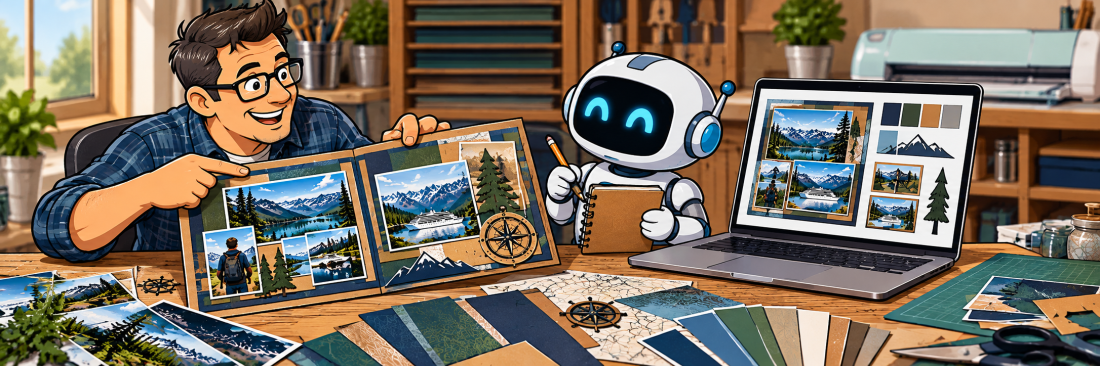
Teaching ChatGPT Your Scrapbooking Style
AI in the Scrapbook Room: Article 6
In our last article, I shared ten prompts you can use to begin experimenting with ChatGPT in your scrapbook room. Those prompts are a good starting point, but as I’ve spent more time working with AI, I’ve discovered something that makes the experience considerably more useful: ChatGPT can become familiar with the way you like to scrapbook.
Think about how you might work with someone who has never seen your scrapbook albums before. If you asked that person to suggest embellishments for a page, they might recommend flowers, ribbons, or decorative flourishes because those are common in scrapbooking. But if they spent time looking through your albums, they would begin to notice your preferences. They might recognize the colors you tend to use, how you arrange photographs, and the kinds of embellishments you enjoy creating.
Working with ChatGPT can be somewhat similar. The more information you provide about your style, tools, and preferences, the more relevant its suggestions can become. And unlike trying to explain your preferences to someone new every time you start a project, ChatGPT may be able to carry some of that information into future conversations.
Of course, there are limitations to how well AI understands and remembers information, and we’ll discuss those later. But first, let’s explore some practical ways to help ChatGPT become more familiar with your scrapbooking.
Start by Describing Your Style
One of the easiest ways to begin is simply to tell ChatGPT what you like.
For me, that includes a preference for masculine scrapbook designs. I often use architectural elements, geometric shapes, travel imagery, and embellishments that reflect the specific places or experiences I’m documenting. I enjoy working with cardstock, creating custom photo mats, and incorporating memorabilia I’ve collected along the way.
I also tend to create two-page, 12-by-12-inch scrapbook spreads. I use Cricut Design Space extensively, and I prefer designs that can be translated into actual cardstock elements rather than graphics that only look attractive on a computer screen.
Those details make a difference. If I simply ask ChatGPT for ideas for a Hawaiian scrapbook page, it might suggest a fairly generic tropical design. But if I explain that I prefer masculine styling, layered cardstock, and embellishments that can be cut with my Cricut, the suggestions are more likely to fit my approach.
You can begin with a prompt like this:
I want you to become familiar with my scrapbooking style. I primarily create 12-by-12-inch scrapbook pages and enjoy [describe your favorite themes, colors, and techniques]. I prefer [describe your embellishments and design elements], and I generally avoid [describe things you don’t like]. Please use these preferences when helping me develop scrapbook ideas.
You don’t have to describe everything perfectly. In fact, you may discover that you have preferences you’ve never really thought about before. ChatGPT can help you identify those patterns as you continue working together.
Show ChatGPT What You’ve Already Created
Sometimes it’s easier to show someone your work than to describe it. If you’ve been scrapbooking for a while, you probably have completed pages that represent your personal style particularly well. You can photograph those pages, upload the images to ChatGPT, and ask it to examine them.
For example, you might upload three or four of your favorite layouts and use this prompt:
These are examples of scrapbook pages I’ve created. Please examine them and identify the design characteristics they have in common. Look at the colors, photograph arrangements, embellishments, layering, and use of space. Then summarize what you think my scrapbooking style is.
You might be surprised by what ChatGPT notices. Perhaps you consistently use larger photographs than you realized, prefer asymmetrical layouts, or repeat certain colors across different projects.
I would encourage you to review its observations carefully. AI can misinterpret photographs, overlook important details, or make assumptions that aren’t accurate. If it identifies something that doesn’t fit your style, tell it so. The goal isn’t to have ChatGPT define your style for you, but to help you articulate what makes your pages distinctive.
You can then ask it to use those observations when making suggestions for future projects. This is particularly helpful if you have a style that doesn’t fit neatly into a conventional scrapbooking category.
Explain the Tools You Actually Use
One thing I’ve learned is that ChatGPT can suggest designs that look wonderful but aren’t particularly practical to create.
For example, an AI-generated embellishment might contain dozens of tiny details, intricate shading, or delicate lines. Those features might work beautifully in a printed illustration, but they can become a nightmare when you’re trying to cut the design from cardstock. That’s why I think it’s important to explain not only what you like to create, but also how you create it.
In my case, ChatGPT needs to understand that I use Cricut Design Space, that I frequently cut designs from cardstock, and that I often work with a limited number of colors. I also need graphics to fit within specific dimensions because I’m incorporating them into layouts that have already been planned.
You might tell ChatGPT:
I use a Cricut cutting machine to create scrapbook titles and embellishments from cardstock. When suggesting designs, please consider whether they can be cut from paper. Avoid extremely thin lines, tiny isolated pieces, complicated shading, and details that would be difficult to assemble. I often prefer designs using two or three solid colors.
This won’t guarantee that every graphic it generates will be suitable for cutting. I’ve certainly encountered situations where ChatGPT ignored some of my instructions! However, establishing those expectations gives us a better starting point.
The same principle applies if you scrapbook digitally, use stamps and dies, prefer pre-made embellishments, or work with particular materials. The more ChatGPT knows about your tools, the more practical its suggestions can be.
Tell ChatGPT What You Don’t Like
We often focus on explaining what we want, but I’ve found that describing what we don’t want can be just as important.
For example, I generally prefer embellishments that complement the photographs rather than overwhelm them. I also don’t want every masculine scrapbook page to rely on the same predictable collection of gears, tools, or sports equipment. Those elements certainly have their place, but they aren’t appropriate for every story.
If ChatGPT repeatedly suggests something that doesn’t fit your preferences, you can explain why. You might say:
I don’t want my scrapbook pages to feel overly decorated. I prefer the photographs and memorabilia to be the focus, with embellishments that support the theme. Please avoid suggesting decorative elements simply to fill empty space.
Or perhaps:
I enjoy masculine scrapbook designs, but I don’t want every page to use dark colors or industrial themes. Suggest designs that reflect the subject matter while maintaining a clean, structured appearance.
These kinds of instructions help establish boundaries around the suggestions ChatGPT provides. And remember, your preferences don’t have to be absolute. I might generally avoid certain design elements but decide that they’re perfect for a particular page. You can always explain when you want to try something different.
Refine Its Understanding Through Conversation
One of the most useful aspects of working with ChatGPT is the ability to refine a design through conversation.
A good example comes from the Hawaiian scrapbook embellishments I’ve been developing. For one layout, I wanted an old tree with irregular branches extending across the upper portion of the page and woven lanterns hanging from the branches. I had a very specific space available. The trunk needed to sit along the right edge of the page, while the branches extended toward the left without covering too much of the area where I intended to place photographs.
The first version wasn’t quite right. Neither was the second. At different points, the branches extended too far into the page, didn’t reach far enough, or occupied space I needed for other elements. Rather than starting over with an entirely new request each time, I explained what needed to change. I also wanted the lanterns to have openings in the woven design so that the cardstock background would show through. Eventually, we arrived at a design that was much closer to what I envisioned.
That experience illustrates something important about working with AI. You don’t have to accept the first result, and you don’t have to become an expert at writing elaborate prompts. You can begin with a general description and gradually become more specific.
It also helps to explain why you’re requesting a change. Instead of simply saying that a branch is too long, I can explain that I need the middle of the scrapbook page available for photographs. That gives ChatGPT more context for the adjustment.
However, it’s worth remembering that image generation isn’t always precise. Even with detailed instructions, changing one part of a graphic may unexpectedly alter another. Sometimes it takes several attempts, and sometimes I have to accept that a particular design isn’t going to work.
Can ChatGPT Actually Remember Your Preferences?
This is probably one of the most interesting questions for scrapbookers who want to use ChatGPT regularly.
When you’re working within a conversation, ChatGPT can generally refer to information you’ve already shared in that discussion. If you’ve explained that you prefer two-color cardstock embellishments, you usually don’t need to repeat that instruction with every message.
But what happens when you close that conversation and start a new one?
ChatGPT also has memory and personalization features that can help it use information from previous interactions. Depending on your settings and the features available to your account, it may retain useful context about your preferences and ongoing projects.
That doesn’t mean it remembers every detail of every conversation or that its understanding will always be accurate. Important instructions can be overlooked, and preferences may need to be repeated or clarified.
You can review your memory settings under Settings → Personalization. ChatGPT also provides ways to review and request changes to its memory summary.
One practical approach is to be explicit about preferences you want it to use regularly. For example, you might say:
Going forward, please keep in mind that I primarily create masculine 12-by-12-inch scrapbook layouts, frequently use Cricut Design Space, and prefer custom embellishments that can be cut from two or three colors of cardstock.
For a specific project, however, I would still provide the important dimensions, colors, and other requirements directly in the conversation. I wouldn’t rely on memory alone for details that must be followed precisely.
Using Projects to Organize Your Scrapbooking Work
Another feature worth exploring is ChatGPT Projects. A Project provides a dedicated space for related conversations and files, making it easier to organize work around a particular subject.
For example, you might create a Project called My Scrapbooking and use it for conversations about layouts, embellishments, journaling, and other creative work. You can also add project instructions describing your preferences so that ChatGPT has a consistent starting point when assisting with that work.
This is particularly useful if you regularly work on different kinds of projects. You might use ChatGPT for professional responsibilities, travel planning, family research, and scrapbooking, but you probably don’t want the same instructions applied to all of them.
I use a dedicated Scrapbooking Project for my MAScrapping work. It helps keep the conversations focused on the kinds of designs, articles, and creative projects I’m developing.
If you decide to use Projects, I’d suggest beginning with a few basic instructions rather than trying to anticipate every possible preference. You can refine them as you gain experience.
Create Your Own Scrapbooking Style Guide
Here’s a little exercise that brings everything we’ve discussed together.
Ask ChatGPT to help you create a short description of your personal scrapbooking style. You can start by answering a few questions about your favorite colors, page arrangements, embellishments, materials, and tools.
Try this prompt:
I’d like to create a personal scrapbooking style guide that I can use when working with ChatGPT. Please interview me about my preferred layouts, colors, embellishments, materials, tools, and design techniques. Ask me one question at a time. When we’re finished, create a concise summary of my preferences that I can reuse in future conversations.
I particularly like this approach because you don’t have to know exactly how to describe your style before you begin. ChatGPT can guide you through the process, and you can refine the final summary until it accurately reflects your preferences.
Once you’re satisfied, you can save the description for future use, incorporate it into your Project instructions, or simply paste it into a new conversation whenever you’re beginning a design.
You may even find that the exercise helps you understand your own creative preferences a little better!
Making ChatGPT Work for Your Scrapbooking
One of the things I’ve enjoyed about experimenting with ChatGPT is discovering how much the results depend on the information I provide. A vague request can produce a generic suggestion, while a description that includes my preferences, tools, and limitations is much more likely to lead somewhere useful.
But I don’t think you need to develop a complicated system before getting started. Begin by describing the kind of scrapbooking you enjoy, share a few examples of your work, and explain what does or doesn’t fit your style. Over time, you can build a more useful set of instructions based on your experiences.
In our next article, we’ll begin exploring specific design applications in greater detail, starting with choosing scrapbook color schemes with ChatGPT. We’ll look at how AI can help identify colors in photographs, develop coordinated palettes, and suggest ways to use those colors across a scrapbook spread.
In the meantime, I’d encourage you to try the scrapbooking style guide exercise above. You might be surprised by how much you learn about your own approach to scrapbooking, and it will give you a useful foundation for the projects we’ll explore throughout the rest of this series.
Categories: AI Tips and Tricks, Articles

