
Getting Started: Your First 10 ChatGPT Prompts for Scrapbooking
AI in the Scrapbook Room: Article 5
Over the past several articles, I’ve introduced the idea of using artificial intelligence in scrapbooking, discussed some of the ethical questions surrounding it, and shared how I’ve been incorporating ChatGPT into my own creative process. Now I think it’s time to stop talking about what AI might be able to do and actually give it a try!
If you’ve never used ChatGPT before, the idea of sitting down at a computer and having a conversation with artificial intelligence might seem a little strange. You may be wondering what you’re supposed to ask, how much information you need to provide, or whether you need to learn some special terminology. The good news is that you don’t need any technical expertise to get started. If you can describe a scrapbook page you’re working on or explain an idea to another person, you already have the basic skills you need.
In this article, I’m going to share ten prompts that you can copy directly into ChatGPT and experiment with yourself. I’ve selected examples that demonstrate different ways AI can help with scrapbooking, from planning layouts and choosing colors to creating custom graphics and writing journaling. You certainly don’t need to try all ten at once. Pick one that interests you, see what happens, and have a little fun with it.
First, What Exactly Is a Prompt?
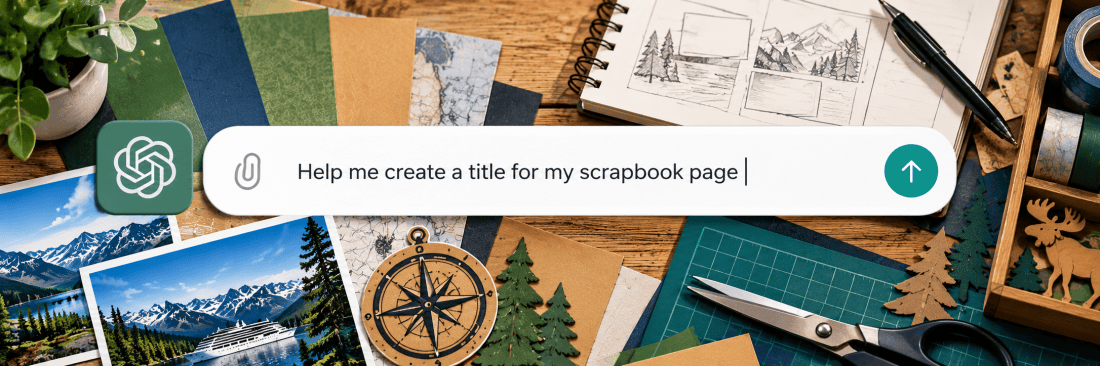
A prompt is simply the instruction, question, or request you give ChatGPT. It might be something as simple as asking for scrapbook title ideas, or it might include a detailed description of a graphic you want to create. You type your request into the message box, press Enter, and ChatGPT responds.
To get started, visit chatgpt.com and sign in or create an account. You can begin experimenting with a free account, although some features, particularly image generation, may have usage limits. You don’t need a paid subscription to begin learning how to use prompts.
One thing I want to emphasize is that you don’t have to get your prompt perfect the first time. In fact, I rarely do! You can respond to ChatGPT’s answer, explain what you like or dislike, and ask it to make adjustments. Think of it as an ongoing conversation rather than a question with a single correct answer.
I’ve included a suggested follow-up with each of the ten prompts below so you can practice that process.
1. Help Me Plan a Scrapbook Layout
One of the first challenges with any scrapbook project is deciding how to arrange the photographs. Sometimes I know exactly what I want, while other times I have several pictures and no clear idea of how to organize them. ChatGPT can suggest different arrangements based on the number of photographs, page dimensions, and other elements you want to include.
Try this prompt:
I’m creating a two-page, 12-by-12-inch scrapbook layout with six vacation photographs. Suggest three ways I could arrange the pictures, leaving space for a title and some journaling.
ChatGPT will likely describe several possible arrangements. You might receive suggestions for a symmetrical design, a layout with one large focal photograph, or an arrangement that groups photographs by activity. These are starting points rather than precise cutting templates, but they can help you think through the possibilities.
Try this follow-up:
I like the second arrangement. Can you suggest approximate photo sizes and explain how the pictures could be distributed across the two pages?
You can continue refining the arrangement or ask ChatGPT to create a visual concept. Just remember that AI-generated layout illustrations aren’t always accurate when it comes to measurements, so you’ll still want to verify dimensions before cutting your cardstock.
2. Suggest a Color Scheme
Choosing the right colors can make a tremendous difference in how a scrapbook spread comes together. I often select my cardstock based on colors that appear in the photographs or memorabilia, but sometimes I want to explore other possibilities.
Try this prompt:
I’m scrapbooking photographs from an Alaska cruise. Suggest three color palettes inspired by the scenery, with five colors in each palette. Explain how I could use the colors for backgrounds, photo mats, and embellishments.
You may receive suggestions inspired by glaciers, forests, mountains, or the ocean. ChatGPT can also explain how to use the colors together rather than simply providing a list.
Try this follow-up:
I like the glacier-inspired palette. Can you create a visual color swatch showing all five colors and suggest which should be the main background color?
You can substitute any destination or occasion for Alaska. If you have a particular photograph you want to build the page around, you can also upload it and ask ChatGPT to suggest colors that complement the image.
3. Brainstorm Scrapbook Page Titles
Sometimes I spend more time trying to come up with a good title than I do arranging the photographs! A title can be funny, sentimental, descriptive, or simply a few words that capture the experience.
Try this prompt:
I’m making a scrapbook page about visiting a historic lighthouse. Suggest ten creative titles, including some that are funny, some that are nostalgic, and some that are short enough to cut from cardstock.
One advantage of asking for several different styles is that you may discover a direction you hadn’t considered. You don’t have to use any of the titles exactly as suggested. Sometimes one word or phrase is enough to inspire something better.
Try this follow-up:
I like the humorous titles. Give me ten more, but keep each one to four words or fewer.
That last instruction is especially useful if you plan to cut the title with a Cricut and have limited space available.
4. Create a Custom Scrapbook Embellishment
This is where things start getting particularly interesting! One of my favorite uses of ChatGPT has been developing custom graphics for scrapbook pages, especially when I have a specific design in mind and can’t find a suitable commercial embellishment.
Try this prompt:
Create a simple illustration of a lighthouse that I can use as a scrapbook embellishment. Use no more than three solid colors, avoid tiny details, and give it a transparent background.
If image generation is available in your account, ChatGPT can create an illustration based on your description. You can then evaluate the result and decide whether it would work as a printed embellishment or whether you might be able to adapt it for cardstock cutting.
Try this follow-up:
I like the overall design, but please simplify the windows and remove any small details that would be difficult to cut from cardstock.
Be aware that AI doesn’t always follow every instruction perfectly. It may introduce extra colors, complicated details, or a background that isn’t truly transparent. Those are things you’ll need to check, and we will explore these challenges in greater detail later in this series.
5. Help Me Write Scrapbook Journaling
For me, scrapbooking has always been about preserving memories, not just arranging photographs. Journaling is an important part of that process, but finding the right words isn’t always easy. Sometimes I know what I want to say, but I struggle to organize my thoughts into a paragraph that will fit on the page.
Try this prompt:
I’m creating a scrapbook page about a family Thanksgiving dinner. Here are the details I remember: [add your memories]. Help me turn them into a warm, personal paragraph that sounds conversational rather than formal. Don’t invent any details.
Replace the information in brackets with your own memories. You can type a few sentences, provide a list of details, or use voice dictation to describe what happened.
Try this follow-up:
This is a little too formal. Rewrite it so it sounds more like someone telling the story to a family member, and keep it under 100 words.
I particularly encourage you to read the finished journaling carefully. ChatGPT can help organize your thoughts, but it can also introduce details or expressions you wouldn’t normally use. Make sure the final version accurately reflects your memories and sounds like you.
6. Research the Story Behind a Photograph
Sometimes the photographs we scrapbook have stories that extend beyond the people pictured in them. An old family photograph might lead us to wonder about the clothing, buildings, transportation, or everyday life of the period.
Try this prompt:
I have a family photograph taken in the 1950s in a small American town. What historical details about everyday life during that period might be interesting to research and include in my scrapbook journaling? Please distinguish general history from anything that would need verification.
ChatGPT may suggest researching local businesses, popular activities, transportation, architecture, or other details that could provide historical context. This can be especially interesting for family genealogy projects, where understanding the time and place helps bring an old photograph to life.
Try this follow-up:
The photograph was taken in a small town in Illinois. What local historical sources could I consult to learn more about the community during the 1950s?
I would offer one caution here. AI can make mistakes when providing historical information, including inventing details or presenting uncertain information confidently. Use its suggestions to guide your research, and verify important facts through reliable sources before including them in your scrapbook.
7. Find Alternatives to Traditional Embellishments
As you know, MAScrapping focuses on masculine scrapbook design. That doesn’t mean every page needs to feature gears, trucks, or dark colors, but I do enjoy exploring embellishments that go beyond some of the more traditional scrapbooking themes.
Try this prompt:
I’m making a masculine scrapbook page about a weekend road trip. Suggest fifteen embellishment ideas that don’t rely on flowers, ribbons, or glitter. Include some ideas I could make using cardstock and my Cricut.
You might receive suggestions involving maps, road signs, compasses, architectural elements, or shapes inspired by the places you visited. Some will be familiar, but others may be worth exploring.
Try this follow-up:
I like the idea of using vintage road signs. Suggest three ways to incorporate them into a two-page scrapbook spread without overwhelming the photographs.
You can also change the style of the request. Try asking for something rustic, modern, industrial, nautical, or vintage to see how the suggestions change.
8. Ask ChatGPT to Look at Your Scrapbook Page
So far, most of our examples have involved describing something to ChatGPT. But you can also upload photographs and ask questions about what is in them. This opens up an entirely different way of using AI.
Try this prompt after uploading a photograph of a scrapbook page:
I’m uploading a photograph of a scrapbook page I’m working on. Please examine the layout and suggest three improvements to the balance, spacing, or placement of embellishments. Keep my existing photographs and overall style.
ChatGPT can examine the image and offer suggestions based on what it can see. It might identify an area that feels crowded, suggest a different placement for the title, or recommend leaving more open space around a photograph.
Try this follow-up:
I want to keep the photographs exactly where they are. What could I change using only the title, journaling, and embellishments?
This is a good example of how you can give ChatGPT additional limitations rather than accepting its initial suggestions. Of course, you don’t have to agree with its assessment. It’s your scrapbook page, and you may have very good reasons for arranging things the way you did!
9. Adapt a Design for Your Cricut
If you’ve followed my scrapbooking projects, you know that I use my Cricut extensively. I particularly enjoy creating custom cardstock embellishments, but those designs need to work within the physical limitations of the cutting machine and the available space on a page.
Try this prompt:
I want to create a cardstock embellishment for my Cricut. It must fit within a space four inches wide and two inches tall, use only two colors, and avoid fragile details. Suggest five designs inspired by a Hawaiian luau.
This prompt introduces several important constraints: dimensions, number of colors, cutting complexity, and theme. You can use the suggestions to decide what you want to create before asking ChatGPT to generate the actual artwork.
Try this follow-up:
I like the canoe idea. Create a simple two-color illustration of a Hawaiian outrigger canoe that is four inches wide and two inches tall, with shapes suitable for cutting from cardstock.
This is similar to the process I’ve used when developing embellishments for my Hawaiian scrapbook pages. However, keep in mind that an AI-generated illustration isn’t automatically a Cricut-ready cutting file. You may still need to clean up the design, convert it to an appropriate format, and make adjustments in Cricut Design Space.
We’ll spend more time on that process in a future article.
10. Ask ChatGPT What You Haven’t Thought Of
For our final prompt, I want to try something a little different. Instead of asking ChatGPT to create a specific design element, let’s ask it to help us think about the memories we might otherwise overlook.
Try this prompt:
I’m creating a scrapbook about a family vacation. I’ve already planned pages for the major attractions and activities. What other memories, small details, or pieces of memorabilia might be worth including that I could easily overlook?
This might generate suggestions about restaurant receipts, tickets, conversations, unexpected experiences, funny moments, or small details that helped make the trip memorable. I particularly enjoy including ephemera in my scrapbooks, so this kind of exercise fits naturally with the way I document our experiences.
Try this follow-up:
I have photographs, ticket stubs, restaurant receipts, and a few souvenirs from the trip. Suggest creative ways to incorporate these into scrapbook pages without making the layouts too crowded.
You might be surprised by the ideas that emerge when you ask a broader question rather than focusing on a specific graphic or arrangement.
The Secret Is in the Conversation
If you take only one thing away from this article, I hope it is this: Your first prompt doesn’t need to produce the perfect result.
When I work with ChatGPT, I often start with a general idea and gradually make it more specific. I might ask for an illustration, decide that I like part of it, and then request changes to the colors, dimensions, or details. Sometimes the conversation takes only a few exchanges. Other times, we go back and forth quite a bit before I get something I can use.
You can do exactly the same thing with any of these ten examples. Tell ChatGPT what you like, explain what doesn’t work, and ask questions when you don’t understand something. You can even ask it to explain how to improve your prompt to get a more useful result.
One other suggestion: don’t feel that you have to learn everything at once. Start with something simple, such as brainstorming titles or selecting colors. Once you’re comfortable with that, try uploading a photograph or generating an embellishment. You’ll gradually become more confident about describing what you want and evaluating what ChatGPT produces.
Give It a Try!
We’ve now moved from discussing AI in theory to exploring some of the things you can actually do with it in your scrapbook room. I hope these ten prompts give you a comfortable starting point, whether you’re completely new to ChatGPT or have already experimented with it a little.
In the coming articles, we’ll take a closer look at many of these applications, including choosing color schemes, planning layouts, writing journaling, and developing custom embellishments. I’ll also be sharing more examples from my own projects, along with some of the successes and frustrations I’ve encountered.
For now, I’d encourage you to choose just one of the prompts above and try it with a project you’re currently working on. You don’t need to create an entire scrapbook page or master a new technique. Just see what happens when you describe an idea and start a conversation.
And I’d love to hear about your experiences. Which prompt did you try? Did ChatGPT give you something useful, something unexpected, or something completely ridiculous? Sometimes those unexpected results are the most entertaining part of experimenting with a new tool!
Categories: Articles, AI Tips and Tricks

